
Boosts without the middleman: Maho and Arc both fix sites - the differences are in the plumbing
For years, using the web meant accepting whatever layout a website gave you. If an online publication picked unreadable fonts, you zoomed the page and wrestled with awkward wrapping. When a social feed added sticky sidebars, you tolerated the clutter. If a video platform insisted on autoplaying clips, you muted your speakers.
A small group fought back with user scripts and stylesheet extensions like Tampermonkey or Stylus. Those tools worked well, yet they stayed confined to enthusiasts willing to manage complex permissions or paste raw JavaScript into obscure panels.
Arc changed that dynamic completely. By turning site customization into a built-in feature called Boosts, Arc proved that everyday people want to shape the pages they read. You did not have to be an engineer to zap an annoying banner, swap a font, or tint a background.
Maho embraces the exact same premise. When you load a page on your own computer, you should decide how it looks and behaves. Where Maho departs from Arc is how those fixes run underneath. We built our Boost runtime around strict per-origin boundaries, sandboxed script execution, explicit settings panels, and plain local folders.
Credit first: Arc made site fixes mainstream
Section titled “Credit first: Arc made site fixes mainstream”We should give credit where it belongs. Arc deserves praise for taking a messy corner of browser hacking and turning it into polished product craft.
Before Arc introduced Boosts 2.0, modifying a web page required real friction. You had to find an extension, grant broad access to your browsing history, track down scripts on external forums, and hope updates did not break everything.
Arc tore down those barriers with taste. Its Boost creator gave users visual controls to change colors, swap typography, and zap unwanted elements with one click. If you wanted to write code, a built-in editor let you inject CSS and JavaScript from the sidebar. Just as importantly, Arc created a gallery where creators could publish Boosts for anyone to install instantly.
That work proved something crucial: web customization is not just for niche tinkerers. People love tailoring their digital workspaces when the browser makes the process pleasant. Arc set the standard for how friendly site tweaking could feel, and every browser exploring this space owes a debt to that interface design.
What a Boost actually is
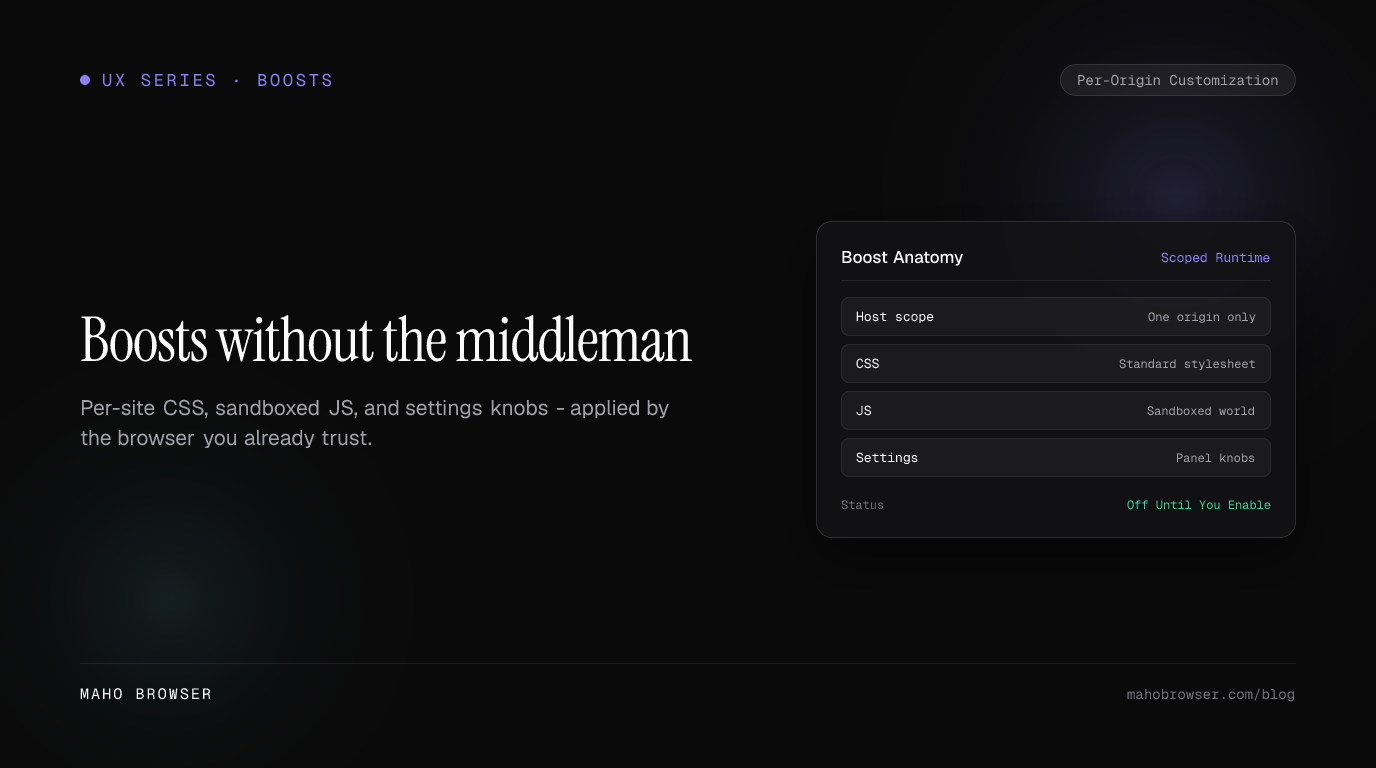
Section titled “What a Boost actually is”At its heart, a Boost is a compact bundle of overrides that the browser attaches to a specific web property. In Maho, every Boost consists of four distinct pieces packaged together: a host scope, a stylesheet, an isolated script, and a settings schema.
The host scope declares exactly where modifications belong. A Boost written for developer documentation targets only that documentation domain. It never runs on your banking portal, email client, or search engine.
The stylesheet contains plain CSS applied directly by the browser rendering pipeline. You can hide elements, adjust column widths, bump line spacing, or restyle buttons. Because standard CSS cannot read user data or communicate over the network, stylesheets remain the cleanest way to fix broken page layouts.
The script section contains custom JavaScript for tasks that CSS cannot handle alone, such as inserting a jump-to-top button or reordering table columns. This script runs in an isolated environment that interacts with page elements without exposing browser internals.
Finally, the settings schema defines user-facing controls. If a Boost provides optional features, it can expose toggles, dropdowns, or text inputs. The user tweaks those values in a tidy sidebar panel without ever touching code.
Scope discipline: per-origin grants vs broader reach
Section titled “Scope discipline: per-origin grants vs broader reach”The most critical architectural question for any customization engine is boundary control. How far does a script reach, and when does it wake up?
In many traditional extension systems, a single tool requests permission to read and alter content across every website you visit. Even when a script only cares about one specific forum, the underlying engine often holds broad permissions. That model creates an uncomfortable trade-off between personal convenience and privacy.
Maho enforces strict scope discipline by design. Every Boost operates on a per-origin grant and remains completely disabled until you explicitly turn it on for that exact domain.
Enabled Here:  Target: docs.example.com  Status: Active (User granted)  Scope:  Origin-locked to docs.example.com
Everywhere Else:  Target: *.example.com / all other origins  Status: Untouched (Zero scripts injected)
When you visit a website, Maho checks whether an active Boost exists for that specific origin. If you have not created or enabled one, the browser runs purely vanilla web content. No background observer evaluates scripts against your traffic, and no global listener tracks your navigation across unrelated tabs.

This per-origin boundary ensures that a customization you build for a recipe blog can never observe what you type into an online spreadsheet. You retain complete visibility into which origins hold active grants, and you can revoke any grant with a single click in your address bar.
The sandboxed JS world
Section titled “The sandboxed JS world”When a Boost needs JavaScript to manipulate interactive elements, the execution environment matters just as much as domain scoping. Running code inside a live browser session demands clear guardrails.
Arc made writing JavaScript accessible, yet users still had to wonder what power those injected scripts possessed behind the scenes. In Maho, we designed the JavaScript layer around an isolated execution context with three fundamental rules:
- Boost scripts possess zero access to internal browser APIs. They cannot inspect your stored credentials, read history, manage tabs, or alter browser settings. A Boost lives strictly inside the content boundary of the target webpage.
- Sandboxed scripts run strictly after the initial page structure finishes loading, specifically when the
DOMContentLoadedevent fires. This timing ensures that customizations modify existing markup reliably without racing against critical hydration steps or slowing down initial page render. - Maho forbids sandboxed scripts from making cross-origin network requests by default. A script running on a reading app cannot silently transmit page text to an external tracking endpoint. If a specialized Boost genuinely needs external network access, such as fetching weather data for a dashboard, it must declare that requirement upfront for your approval.
By locking down network access and separating script execution from privileged browser internals, you can enjoy useful page enhancements safely.
Settings knobs: tweaking without touching code
Section titled “Settings knobs: tweaking without touching code”One of Arc’s strengths was letting non-programmers modify web pages visually. However, once a script-based Boost required minor adjustments, users often found themselves staring at raw JavaScript lines, searching for numeric constants to change.
Maho bridges this gap with structured settings knobs. When authoring a Boost, you can define configuration parameters right alongside your CSS and JavaScript.
{ "name": "Clean Reader", "settings": [ { "id": "hideSidebar", "type": "boolean", "default": true, "label": "Hide Sidebar" }, { "id": "contentWidth", "type": "range", "min": 600, "max": 1200, "step": 50, "default": 800, "label": "Content Width (px)" }, { "id": "fontTheme", "type": "select", "options": ["System", "Serif", "Mono"], "default": "System", "label": "Font Choice" } ]}These definitions automatically render as clean inputs inside the Maho Boost panel. When someone uses your Boost, they see readable toggles, sliders, and selection menus.
Adjusting a slider immediately updates the associated CSS variables and script parameters in real time. A reader who wants wider margins simply drags a control. Someone who prefers serif typography picks it from a dropdown.

This separation keeps the underlying logic stable while giving everyone the freedom to tune appearances to their liking. You get the flexibility of tailored code combined with the comfort of a polished visual settings sheet.
Sharing: local folders you own
Section titled “Sharing: local folders you own”How you share and back up your customizations reveals a browser’s core philosophy about data ownership.
Arc built a centralized Boost gallery where users could publish and browse creations. That created an exciting social catalog, but it also tied the lifecycle of your customizations to a proprietary platform ecosystem. When platform priorities shift, community galleries can change, and users worry about losing the tweaks they rely on daily.
Maho takes a local-first approach. In Maho, every Boost is simply a folder on your drive containing plain text files:
~/Library/Application Support/Maho/Boosts/clean-hn/├── manifest.json├── style.css├── script.js└── settings.jsonThere is no remote registry requirement and no proprietary packaging format. Because a Boost is a standard directory, managing your tools feels natural:
- You own your files. You can open them in your favorite text editor, track their history with personal backup tools, or sync them across machines using whatever file sync utility you prefer.
- Zero unexpected updates. A Boost on your machine only changes when you edit it. Nobody can push a background update that breaks your workflow or alters script behavior without your knowledge.
- Effortless sharing. Want to give a Boost to a colleague? Zip the folder and send it over chat, or copy it to a storage drive. They drop the folder into Maho, review the requested origin grant, and start using it immediately.
Customizing the web should make your daily browsing calmer, faster, and more personal. Arc proved how wonderful site modifications can be when placed directly into the browser. Maho takes that inspiration and pairs it with clean boundaries, transparent settings, and true local ownership. You get all the power to fix the web, with none of the middleman.