
Browser history encryption: how Maho stores yours
History is one of those data sets that feels boring until you remember it lists every place you have been online. Most desktop browsers store it as a plain SQLite database, with disk encryption as the only line of defense. We wanted that line further out.
This post walks through how browsing history is encrypted at rest in Maho on macOS, where the key lives, what survives a cold restart, and what you can verify yourself with a terminal and the tools that ship with the OS.
History as a sensitive surface
Section titled “History as a sensitive surface”A history database is not a list of URLs. It is a list of decisions. Where you read about a medical condition. Which job postings you opened at 11pm. The competitor’s pricing page you checked twice in a week. The internal admin URL of a service you do not work for anymore. None of that should leak when a laptop is lent, lost, or imaged for support.
Most desktop browsers store history in a SQLite file under the user’s profile directory. The file is unencrypted on disk. FileVault protects it while the laptop is off and locked, and that is the entire defense in depth. While the user is logged in, any process running as that user can open the file and read every URL since the last clear. Spotlight indexes parts of it. Backup software copies it. Crash reporters sometimes pick it up.
Disk encryption is necessary. It is not sufficient. The threat model we wanted to narrow is the case where the laptop is unlocked, the user is logged in, and something else on the machine is reading files it should not.
The encryption boundary
Section titled “The encryption boundary”Maho draws the encryption line at the database file itself, not at the disk. The history store is encrypted at rest, with a per-profile key that is not derived from your login password and not written to disk in the clear.
The cipher is AES-256-GCM with a 256-bit key. Encryption is applied to each row’s URL and title before they hit the SQLite file. Indexed columns keep their structure for query performance, but the indexed values are themselves encrypted derivatives, so the index does not leak the plaintext URLs to anyone reading the file raw. A timestamp column stays unencrypted on purpose, because pruning and sync need it and the timing alone does not reveal the URL.
The cipher and the schema choices are documented in the security overview, with the threat model and the cases this design does not protect against. What follows here is the operational story, not the cryptography deep dive.
Where the key lives (macOS Keychain)
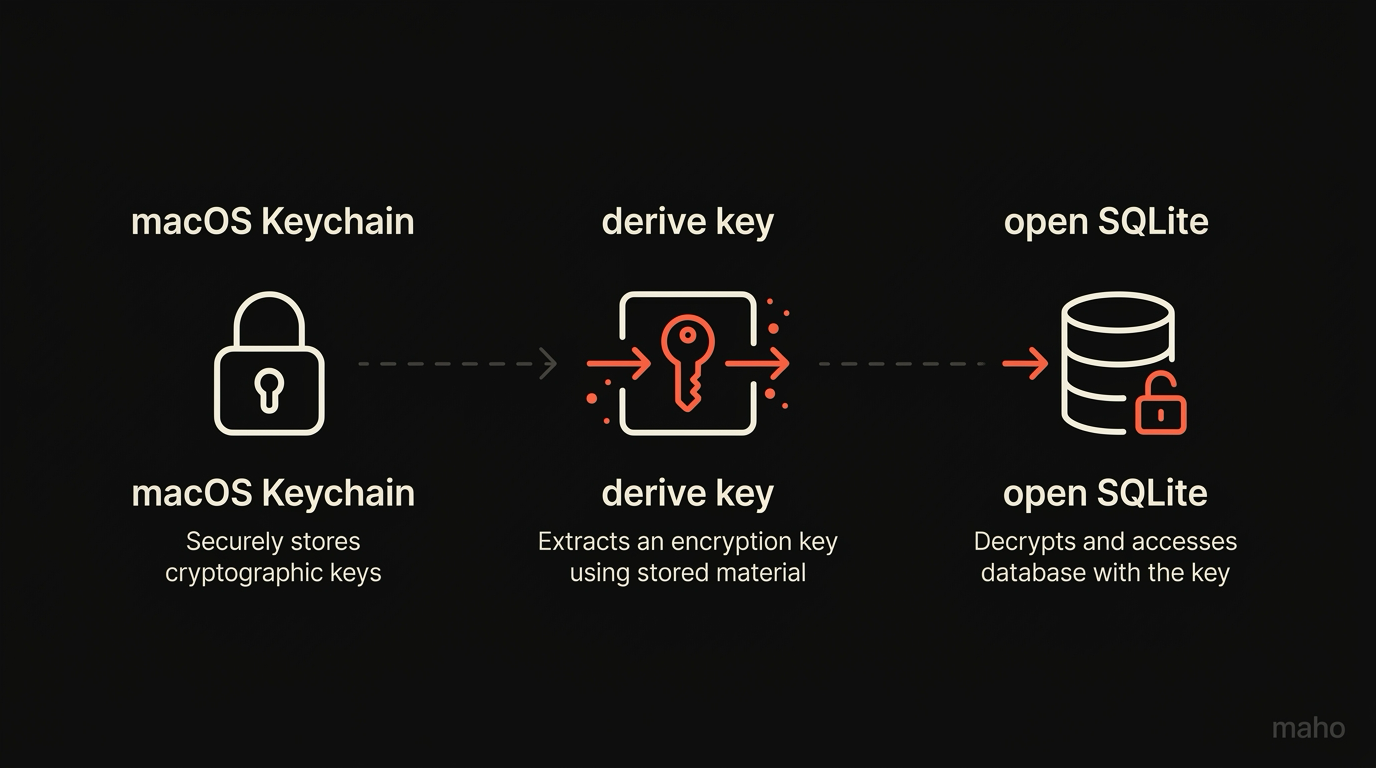
Section titled “Where the key lives (macOS Keychain)”On macOS, the key is stored in the user’s login keychain, with access scoped to the Maho binary by code-signing identity. The Keychain entry is created on first run. The browser asks the OS for the key on launch, gets a handle, and never writes the raw key bytes to a file under its profile.
A few consequences fall out of this choice.
The key survives reboots. The login keychain unlocks when you log into your macOS user, and Maho can read the key after that. You do not type a master password into the browser at every cold start. Disk encryption gates the keychain. The keychain gates the key. The key gates the database. Three layers, each owned by a different trust root.
The key is bound to the binary. A copy of the Maho binary signed with a different identity cannot read the keychain entry. A user who somehow ends up running a tampered build does not silently inherit the original profile’s history. They get a permission error from the OS, and the browser starts a fresh, empty store.
The key is per-profile. Two Maho profiles on the same Mac have two different keychain entries. Deleting a profile deletes its keychain entry along with its data. There is no shared key that you have to rotate across profiles, and no cross-profile read path for an attacker to walk.
The key never leaves the device. It is not synced. It is not in the relay. It is not exported when you back up a profile to disk. The relay sees only the encrypted payloads from the sync layer, which are encrypted with a separate per-device key that is also keychain-resident. The two keys are independent on purpose, so a relay compromise does not weaken the local-at-rest story. The longer version of the sync side is in the sync architecture post.
The cold-restart story
Section titled “The cold-restart story”A user closes the laptop, opens it the next morning, types their login password, launches Maho. What happens, in order:
The login keychain unlocks as part of macOS login. The OS owns this step.
Maho launches. The kernel verifies the code signature.
Maho asks the keychain for the per-profile history key, identified by a service name and account that include the profile ID.
The Keychain checks that the requesting binary has the expected code-signing identity, then returns the key bytes to the process memory. They live in a buffer that is zeroed when the browser quits.
Maho opens ~/Library/Application Support/Maho/history.db and decrypts the rows it needs to answer the omnibox query you are typing.
The user sees autocomplete suggestions in roughly the time it takes to render a frame.
If the keychain is locked (rare on a logged-in account, occasional right after a reboot when the user clicks the dock icon faster than macOS can finish unlocking), the omnibox falls back to “no history yet” until the unlock completes. We do not prompt for a password inside the browser. The OS owns the password, and the browser respects whatever the OS says.
A user who never quits Maho between sessions will rarely notice any of this. The flow is invisible. It is also auditable, which is the next section.
Verifying with the file system
Section titled “Verifying with the file system”You do not have to take this post’s word for it. You can check the encryption boundary yourself, on your own machine, with tools that ship with macOS.
Open Terminal and navigate to the profile directory:
cd ~/Library/Application\ Support/MahoRun ls -la and you see history.db, alongside other store files.
Run file history.db. On a Maho install, the output is data, not SQLite database. The file does not start with the SQLite magic bytes. It starts with the encrypted-store header. Chrome and Firefox would show SQLite 3.x database here, because their files are unencrypted at rest.
Run head -c 64 history.db | xxd. You see a short header (a version byte, a key identifier, a nonce prefix) followed by random-looking bytes. The bytes look random because they are. AES-256-GCM ciphertext is indistinguishable from random to anyone without the key.
Try sqlite3 history.db ".tables". You get an error: not a database. SQLite does not recognize the file. That is the encryption working, not a bug.
To prove it the other way, install a SQLCipher CLI and try to open the file with the wrong key. SQLCipher rejects it. With the right key, which only Maho holds via the keychain, the file opens and the schema becomes visible. We do not document the cipher parameters in detail in a blog post because they may change between versions, and an out-of-date guide would do more harm than good. The threat model is what stays stable.
Limits and known gaps
Section titled “Limits and known gaps”Three places where this design is honest about what it does not do.
Memory is not encrypted. While you are using Maho, the URLs you visit, the rows the omnibox just decrypted, and the page titles in the tab bar are all in process memory. A debugger attached to the running process can read them. A memory dump triggered by a kernel exploit can read them. Encryption at rest is not encryption in use, and we do not pretend otherwise.
The clipboard is the user’s problem. Copying a URL from history to the clipboard puts it in the global clipboard. Other apps with clipboard access can read it. We do not encrypt the clipboard, because the clipboard is not ours to encrypt.
Disk imaging defeats nothing in motion. A disk image taken while Maho is running and the keychain is unlocked includes the keychain, the running memory, and the database. The encryption is no help against an attacker with that level of access. It is help against an attacker with a powered-off laptop, a stolen disk, or a sandboxed process that can read files but not memory.
The design also does not pretend to defend against compelled disclosure. If you are forced to log in and run Maho, the history is readable. We can document the boundary. We cannot move it past where the OS owns the trust root.
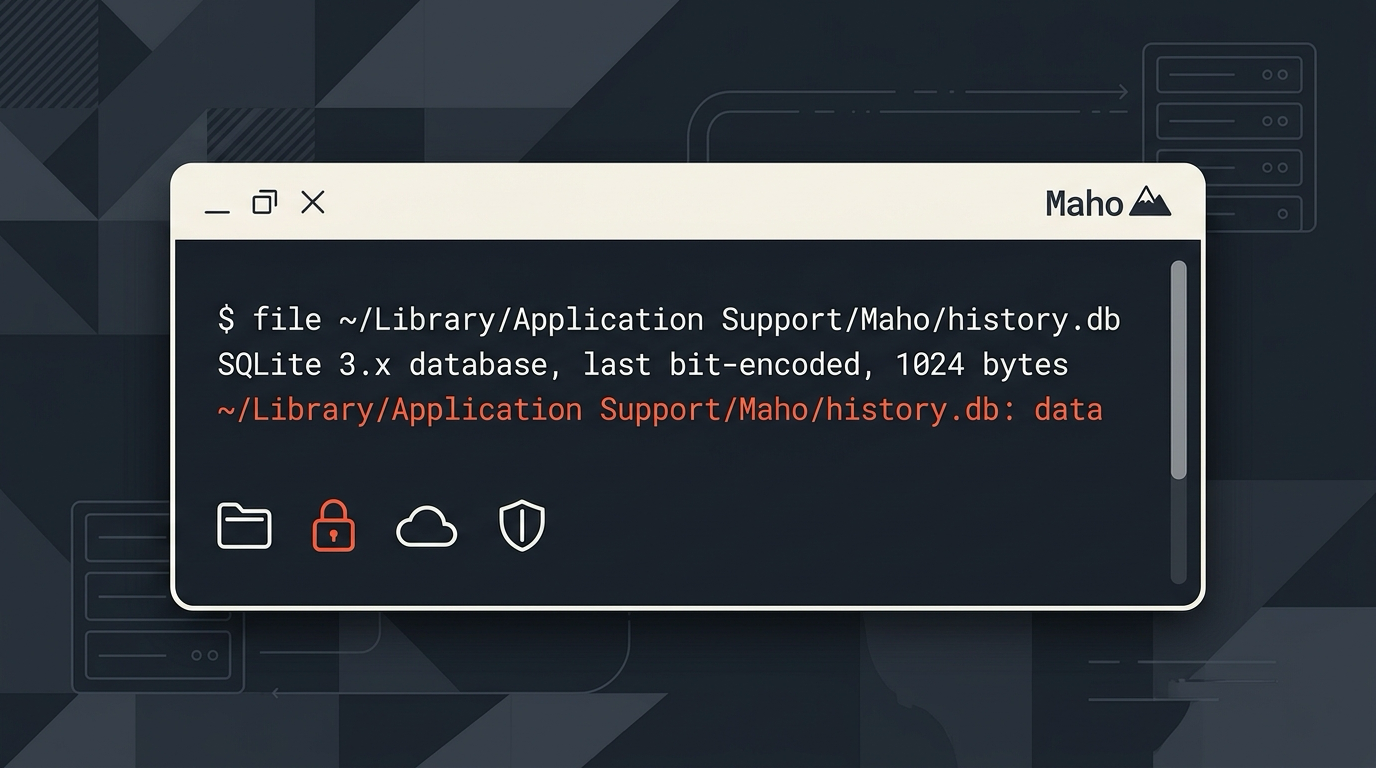
The threat model in the security overview lists a few more cases (multi-user shared Macs, Time Machine backups, cloud-stored profile copies) and the answers we have for each. Short version: at-rest is encrypted, the key is keychain-resident, the relay never sees the plaintext, and you can verify the file boundary with one terminal command.
Download Maho
Section titled “Download Maho”Maho ships with an encrypted-at-rest history store, a keychain-resident key bound to the signed binary, and a file history.db you can run yourself to confirm. Download Maho.