
Sync without an account: the Maho relay model
Most browsers ask you to create an account before they will sync anything. The account is the anchor. Your tabs, your history, your bookmarks, your passwords, all of it gets keyed to an email and a password the vendor controls. If the vendor is breached, your browsing trail is part of the breach. If the vendor decides to lock the account, your data is on the wrong side of the lock.
We wanted sync. We did not want that anchor. So we built a different shape.
The “create an account” problem
Section titled “The “create an account” problem”Sync is a useful feature. You open a tab on the laptop, you want it on the phone. You save a bookmark in the morning, you want it that evening on a different machine. None of that requires the browser vendor to know who you are.
The account model exists because it is the easy path for the vendor. An account gives the vendor a stable identifier, a recovery channel, a billing primitive, and a place to attach analytics. The user gets the feature, the vendor gets the identity graph. That trade is not always worth taking.
The alternative is a system where two devices can agree they belong to the same person without telling a server who that person is. That is the model we picked.
The pairing model in Maho
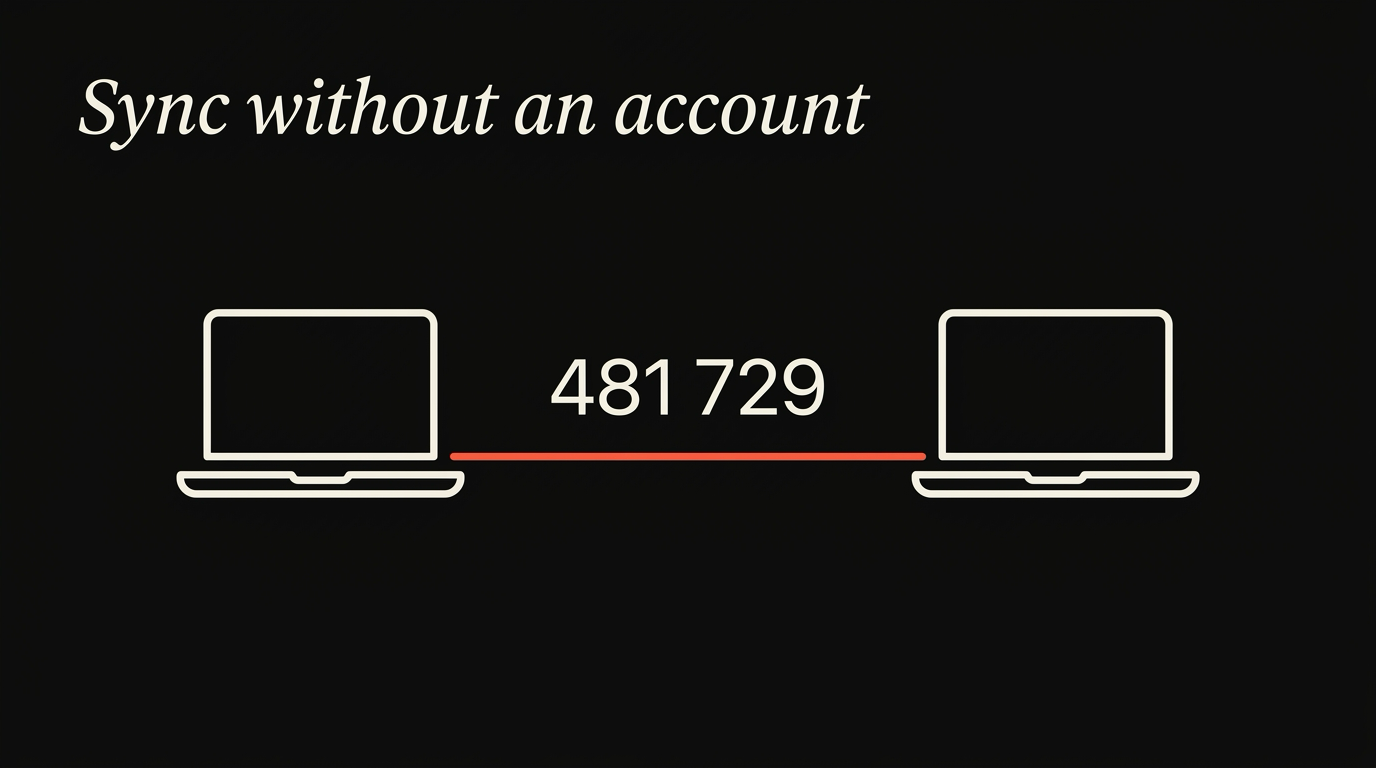
Section titled “The pairing model in Maho”Pairing in Maho works the way pairing works in a lot of consumer hardware. You start on one device, you tell the second device to listen, you confirm a short code on both sides, and they trust each other from then on.
The flow looks like this:
- On Device A, you open the sync settings and pick “pair a new device”. Device A generates a fresh keypair for the session and shows a six-digit code.
- On Device B, you open the same screen and choose “join a device”. Device B generates its own keypair and exchanges public keys with Device A through a relay.
- Both devices show the same six-digit code. You confirm it on both sides.
- From that point, A and B share a long-term key. Future devices join by being paired against any already-trusted device.
The six-digit code is not a password. It is a short-lived authenticator that prevents a man-in-the-middle from sliding into the key exchange. It is good for one pairing window and then it is gone.
What is not in the flow: an email, a password, a username, a phone number, a captcha, a verification link. The relay does not need to know who you are because the only thing it brokers is an exchange between two devices that already share a screen with you.
The relay’s role (and what it cannot see)
Section titled “The relay’s role (and what it cannot see)”The relay is a small server we run. It is the thing that lets two devices find each other when they are not on the same Wi-Fi. It is also the thing that holds queued payloads when one device is offline and another wants to push an update.
Here is what the relay does:
- It accepts a connection from a paired device.
- It forwards encrypted payloads addressed to other devices in the same pairing group.
- It buffers payloads when the recipient is offline.
- It expires buffered payloads after a fixed window if no recipient picks them up.
Here is what the relay does not do:
- It cannot read the payload contents. The payload is encrypted with a key the relay never sees.
- It cannot tie a pairing group to an identity. There is no email, no name, no phone number on file.
- It cannot enumerate what is inside a payload. To the relay, every payload is an opaque blob with a destination ID.
- It cannot serve as a recovery channel. If you lose all paired devices, the relay has nothing useful to give you.
This is what “zero-knowledge” means in practice. The relay sees ciphertext go in and ciphertext come out. It sees the size of the ciphertext and the timing of the delivery. That is the metadata budget. Everything else is dark.
End-to-end encryption details
Section titled “End-to-end encryption details”The cryptographic side of pairing uses standard primitives. None of this is novel. Boring is the goal.
- Key exchange: X25519. Each device generates an ephemeral keypair during pairing. The shared secret is derived via Diffie-Hellman on the curve.
- Key derivation: HKDF with SHA-256, used to expand the shared secret into per-purpose keys. There is a separate key for each direction of traffic and a separate key per data type.
- Payload encryption: AES-256-GCM. Authenticated encryption, so the relay tampering with a payload is detectable on the receiving end. The nonce is derived from a per-device counter, so the same key never sees the same nonce twice.
- Long-term storage: the device-side database is encrypted with a key derived from the same root, but with a different label and a different rotation schedule.
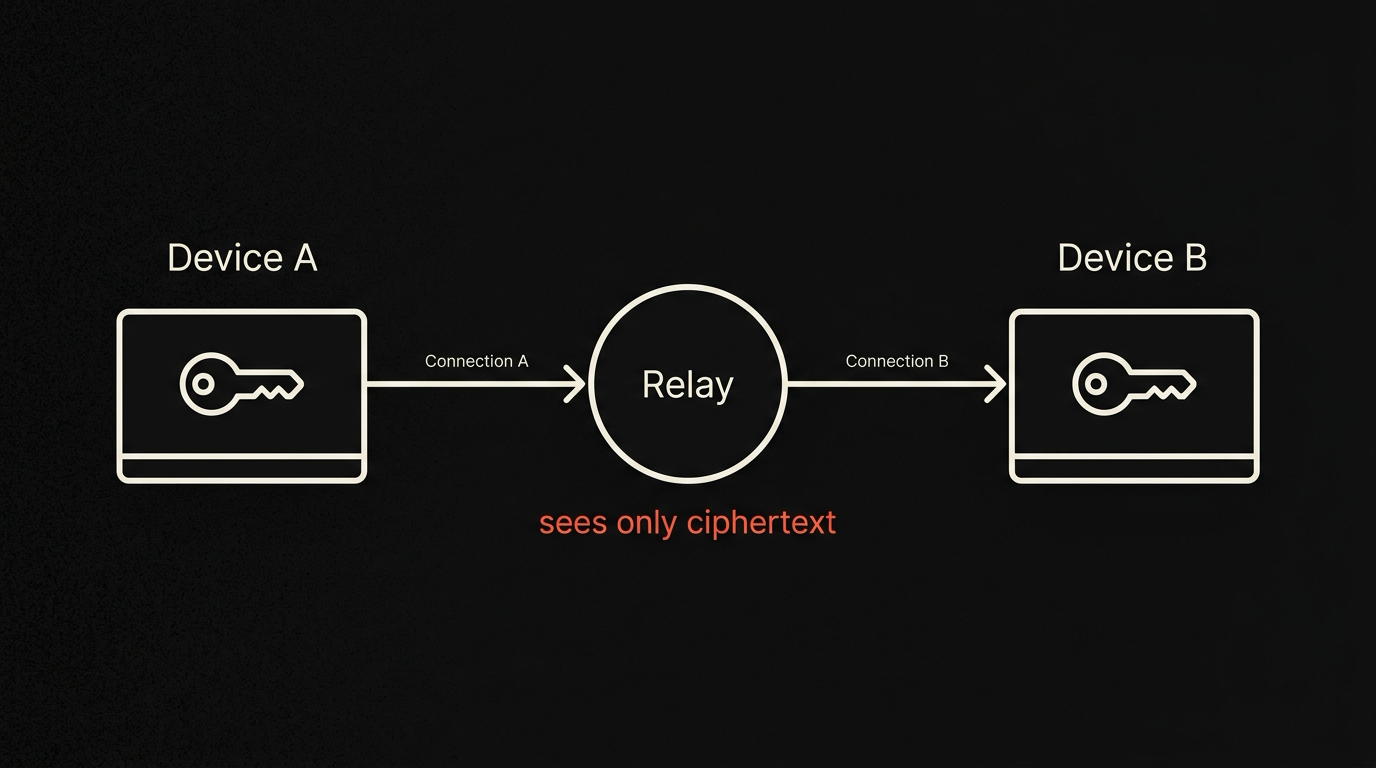
The thing to notice in this list is that no part of it depends on the relay. The relay is delivery. The relay is not custody. If we replaced the relay tomorrow with a different relay, the encryption guarantees would not change.
For more on the underlying choices, see the sync architecture deep dive. For the user-facing setup steps, see the browser sync docs.
Recovery
Section titled “Recovery”This is the part the account model exists to solve, so we have to be honest about it. The account model gives you a recovery path: forgot your password, reset by email, log back in, your data comes back. Without an account, that path does not exist.
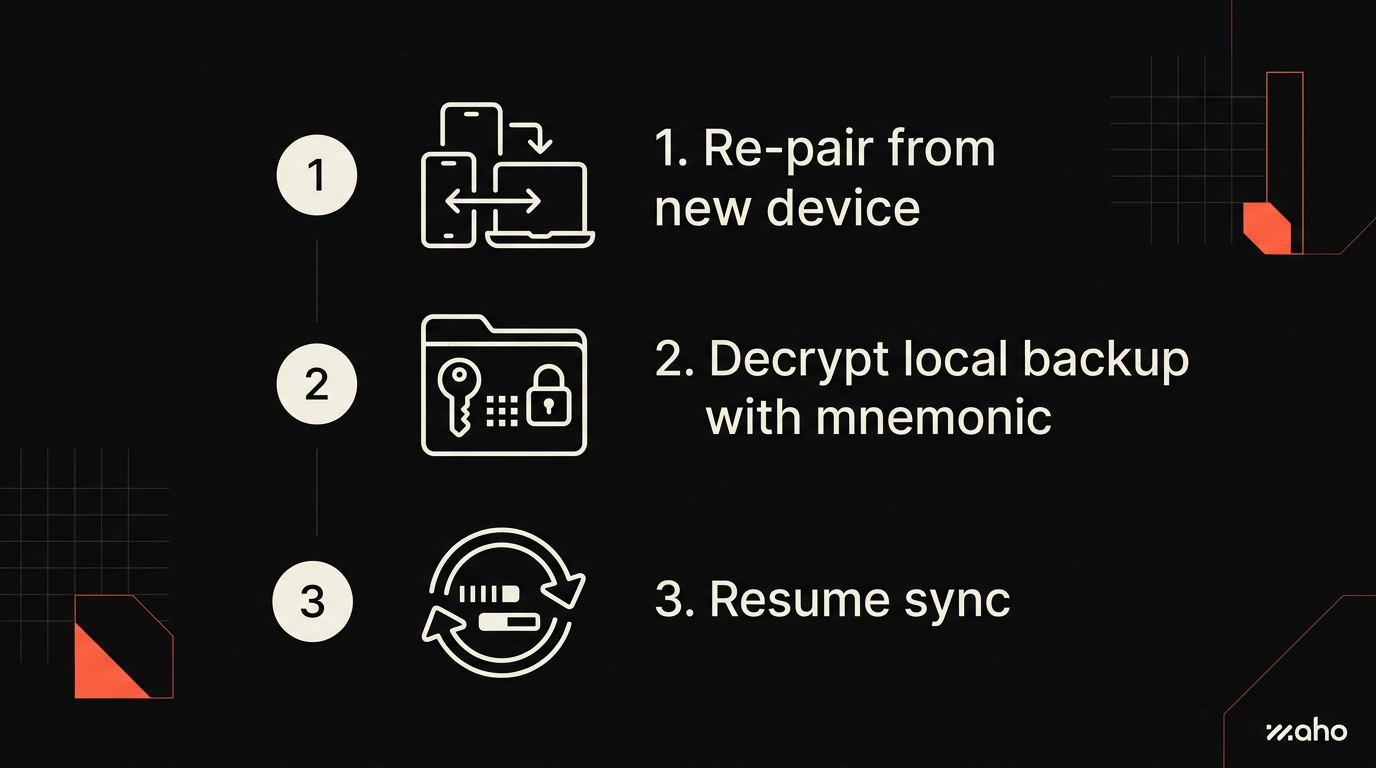
Our model has three recovery paths:
- Pair from another trusted device. If you have any other device in the group, you can pair a new one against it. This is the normal case.
- Recovery key. When you set up sync, we ask you to save a long recovery string. If you lose every paired device, the recovery key can bring a new device into the group. The recovery key is a piece of paper, a password manager entry, or a printout in a desk drawer. It is not stored on our servers.
- Start over. If you have neither a paired device nor the recovery key, your synced data on the relay is permanently unreadable. You can pair a new set of devices and begin again. Anything you had on a local device that survived is fine, because it lives on that device.
The third case is uncomfortable to design for, and it is the price of not having a vendor-controlled account. We think the trade is worth it. You may think otherwise, and that is a reasonable position.
Limits and known gaps
Section titled “Limits and known gaps”The model is not free. Some things the account model does easily, this model does badly or not at all.
- Cross-vendor recovery. A vendor with an account system can let you recover by email even if all your devices are stolen at once. We cannot. The recovery key is your only escape hatch in that scenario.
- Family sharing. Account systems make shared subscriptions and shared bookmarks easy. Pairing-based sync makes shared groups possible but more manual. Each shared item is its own pairing decision.
- Web-based access. “Open my browser data in any browser by logging in” is not a thing here. There is no login.
- Server-side search. Some account-based browsers offer search across your synced history from a web dashboard. We do not, because the server cannot read the history.
These are not bugs. They are the consequences of putting the keys on your devices instead of on our servers. We list them so the trade is visible. A user who needs server-side search of personal browsing history is better served by a different product.
Download Maho
Section titled “Download Maho”If this is the kind of sync model you want, we are bringing it to a small group of testers first. The relay is small, the pairing flow is short, and we want to see it survive contact with real devices before we open the gates wider.
Download Maho. There is no account to create on the way.