
Maho vs Brave Leo: privacy plus AI, two approaches
Brave and Maho both pitch privacy as a default and AI as a feature. From there, they take different routes. Brave Leo is a managed assistant bundled with the browser, served from Brave’s infrastructure. Maho ships an agentic side panel with BYOK and a local-first storage model.
This post sets the two postures side by side. The goal is not to declare one of them the privacy winner. The goal is to describe what each one actually does and let you pick the one that matches your threat model.
Brave’s approach: bundled, hosted, opt-out telemetry
Section titled “Brave’s approach: bundled, hosted, opt-out telemetry”Brave is a Chromium-based browser that has shipped privacy features as the headline since 2016. Tracker blocking is on by default. The browser ships with an ad blocker. The default search is Brave Search. There is a Tor mode for incognito sessions. The privacy story is real and well-documented.
Leo is Brave’s AI assistant, integrated into the sidebar. It runs through Brave’s hosted infrastructure. There is a free tier and a paid tier called Leo Premium. The free tier uses smaller models. The paid tier uses larger ones, including Anthropic and Mistral models, routed through Brave. The model selection is curated by Brave.
Brave’s privacy claim about Leo is specific. Prompts are stripped of identifiers before they reach the upstream model provider. No account is required for free Leo. Conversations are not used to train Brave’s models. The browser keeps prompt history locally unless the user opts into sync.
Telemetry on Brave is opt-out. The browser ships with anonymized usage pings on by default. They can be turned off in settings. Crash reports follow the same model. Brave Rewards and the Brave VPN are separate products with their own data flows.
The shape of the offer is clear. Brave is a managed privacy product. The browser team makes choices about what is private and what is shared, and the user trusts those choices.
Maho’s approach: BYOK, local-first, no telemetry
Section titled “Maho’s approach: BYOK, local-first, no telemetry”Maho is a Chromium-based browser for macOS, in pre-release. The product is built around an agentic side panel and a BYOK model. There is no managed AI service behind it. There is no Maho-hosted inference.
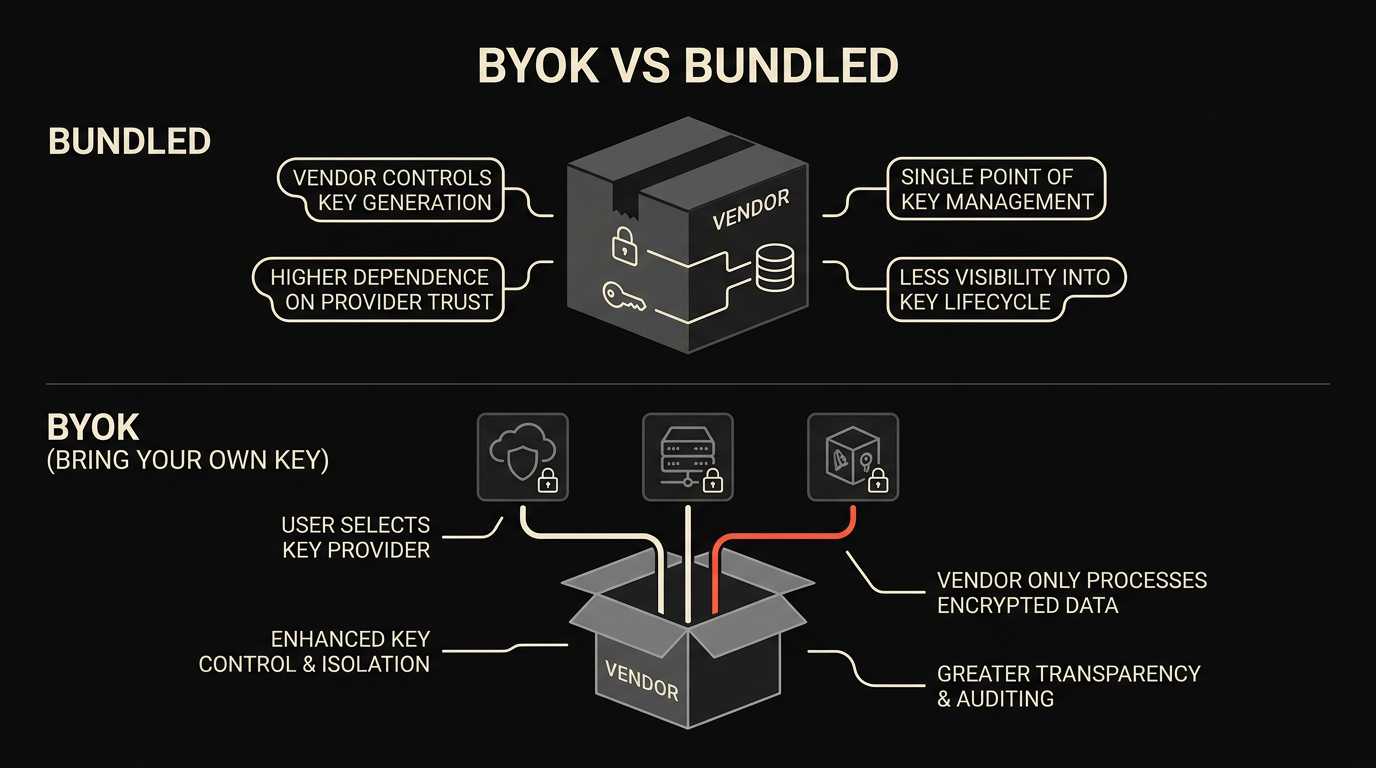
The user supplies the model. Endpoints can be OpenAI, Anthropic, an Ollama instance running on localhost, an LM Studio server, or any custom HTTP endpoint that speaks the OpenAI-compatible shape. Keys live in macOS Keychain. The browser routes prompts to whichever provider you have assigned to the active panel. The network call goes from your machine to your provider. We are not in the path.
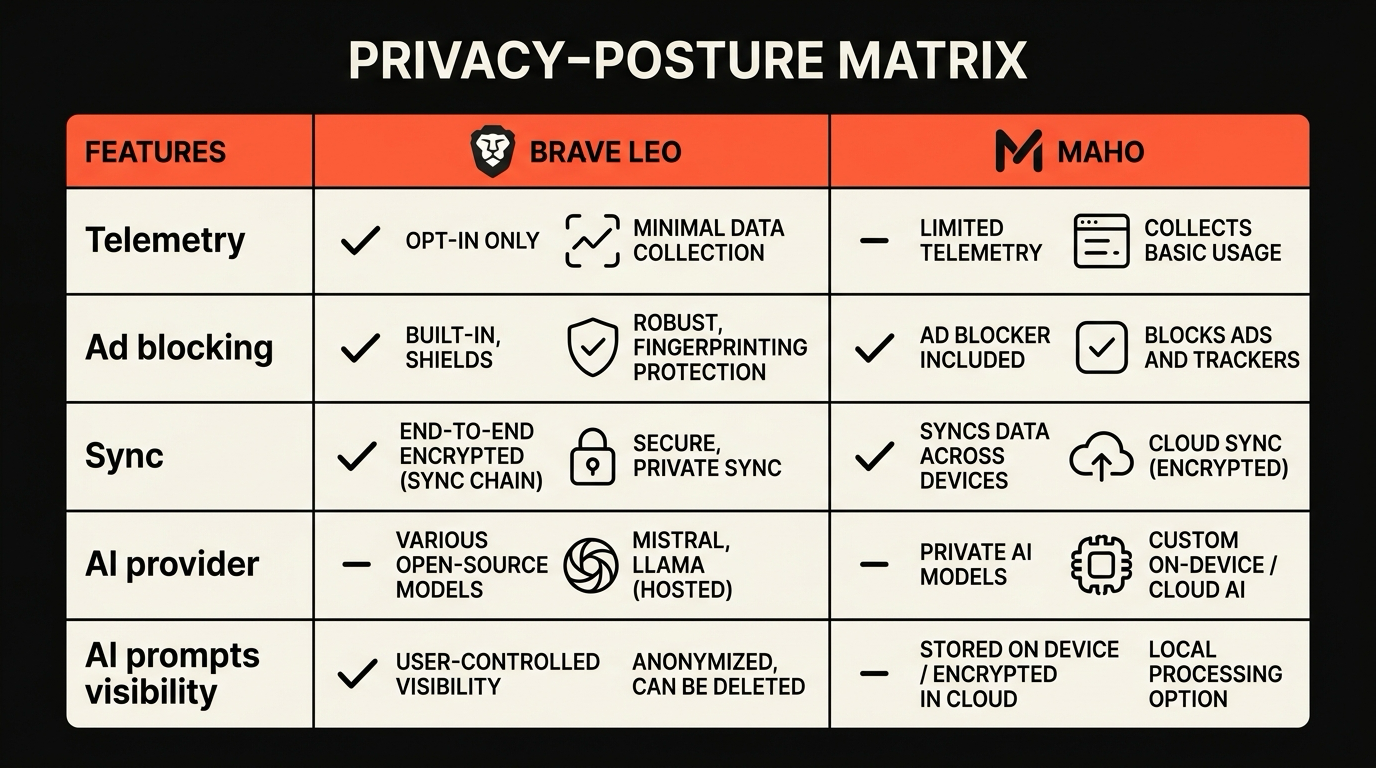
Telemetry is off by default. There is no anonymized usage ping. Crash reports are off by default and require an explicit opt-in if you want to send them. Update checks are the only outbound call the browser makes without you asking, and they go to the update endpoint and nothing else.
Prompt history is stored in a local SQLite database, encrypted at rest with a Keychain-derived key. Sync, when enabled, runs through a relay that holds only encrypted blobs. The relay sees ciphertext, not content.
The shape of the offer is also clear. Maho is a transport layer for your own AI stack. The browser team makes choices about what to ship locally, and the user picks the model and the provider.
Privacy comparison
Section titled “Privacy comparison”This is a concrete comparison, not a verdict. Both browsers have legitimate privacy stories.
| Dimension | Brave with Leo | Maho | | --- | --- | --- | | Telemetry default | Opt-out, anonymized | Off | | Crash reports default | Opt-out | Off | | AI prompts leave device | Yes, through Brave | Yes, to the provider you configure | | Vendor sees prompts | Brave strips identifiers, then forwards | Provider you configured | | Maho or Brave sees prompts | Brave routes them | Maho is not in the path | | Prompt history storage | Local, optional sync | Local SQLite, encrypted at rest | | Account required for AI | No for free tier, yes for premium | No | | Account required for sync | Yes | No, paired devices | | Tracker blocking | On by default | On by default through Chromium plus Maho lists | | Default search | Brave Search | User choice, Maho-curated defaults | | Tor integration | Yes, private window | No |
Two things are worth flagging here. Brave’s Tor integration is a real feature Maho does not match. If you need Tor in the same surface as your normal browsing, Brave is the right pick. On the other side, Maho’s “we are not in the path” property is a real feature Brave does not match. If you want a browser that does not see your prompts at all, the BYOK path is shorter to verify.
AI capability comparison
Section titled “AI capability comparison”The AI feature sets do not overlap one to one. They make different bets about what an in-browser AI is for.
Brave Leo is conversational. The sidebar is a chat box. You can ask Leo to summarize the page, answer a question, or rewrite a paragraph. Leo can read the current page with permission. It does not call external tools. It does not coordinate across tabs. It does not run as an agent. The model you talk to is one of the curated set Brave offers.
Maho’s side panel is agentic. The panel can chat, but it can also call tools, read the page with permission, and coordinate across tabs in a Space. It ships with a small set of built-in tools and accepts user-supplied MCP servers for everything else. The model you talk to is one you configured. There is no curated set.
| Capability | Brave with Leo | Maho | | --- | --- | --- | | Page summarization | Yes | Yes | | Page Q and A | Yes | Yes | | Cross-tab context | Limited | Yes through Space scope | | Tool calling | No | Yes, built-in plus MCP | | BYOK | Not currently | Yes | | Local model support | Limited via tier choice | Yes via Ollama or LM Studio | | Sidebar surface | Chat only | Chat plus tool surface | | Agentic actions | No | Yes with permission |
If your work fits into chat with a page, Leo is enough. If your work needs the browser to take action, Maho is built for that.
Browser-feature comparison
Section titled “Browser-feature comparison”Outside AI, both products are full browsers. Some of the differences are worth flagging.
Ad blocking. Brave ships its own block lists and a long-standing tracker engine. Maho uses Chromium’s standard MV3 baseline plus curated lists. Both block more than out-of-the-box Chrome. Brave’s lists are more aggressive on first-party trackers. Maho’s lists are tuned to not break common SaaS dashboards.
Sync. Brave Sync uses a passphrase-derived key with end-to-end encryption and runs through Brave’s infrastructure, no account required. Maho sync uses a paired-device handshake and a relay that holds ciphertext only, no account required either. Both are credible. Brave’s has more years of operation behind it.
Extensions. Both run Chromium MV3 extensions. Brave restricts a few categories tied to Manifest V2 deprecations. Maho restricts the same set, plus a small list of extensions that conflict with the agentic side panel’s permission model.
Search and discovery. Brave defaults to Brave Search, which is a meaningful product on its own. Maho defaults to a search engine of your choice and ships no first-party search. This is a feature for some users and an absence for others.
The full breakdown lives in the security and privacy doc and the comparison hub.
Pick guide
Section titled “Pick guide”Pick Brave with Leo if you want a browser that has shipped privacy features for nearly a decade, a curated AI assistant with no setup, and a Tor mode in the same product. The bundle is the feature. You trust Brave’s choices and you do not have to manage a model.
Pick Maho if you want the AI to run against your own model, your own keys, and your own page context, and if you want the browser to be a transport layer rather than a curator. The BYOK path means you carry the model decision. In return, you get a path where the browser vendor never sees your prompts.
There is no third option in this comparison where one product is correct for everybody. The two postures are different, both are honest, and the right pick depends on whether you want a curator or a transport layer.
Join the waitlist
Section titled “Join the waitlist”Maho is in pre-release for macOS. If the BYOK and local-first posture is the one you want from a 2026 browser, we built it. Join the waitlist.