
MCP in the browser: what it actually means in 2026
In 2026, almost every AI browser will ship something it calls MCP support. Most of those will be a checkbox. A few will be a host. The difference matters more than the press release admits.
This post walks through what MCP looks like when it is built into the browser as a first-class primitive instead of a sticker. The order is: where the protocol came from, what changes when the browser becomes the host, the tool taxonomy you should know, what we ship by default, and where the model still gets to mess things up.
Where MCP came from, briefly
Section titled “Where MCP came from, briefly”MCP standardizes interactions using a JSON-RPC model. See the JSON-RPC 2.0 Specification for details.
The Model Context Protocol started as a way to let language models call tools without each vendor inventing a private function-calling format. Anthropic published the first spec in late 2024. The shape was simple: an MCP host runs the model, an MCP server exposes tools, and a small JSON-RPC layer connects the two.
The spec was useful for the same reason LSP was useful for editors. Once you stop hardcoding integrations, the integrations multiply. Linear, GitHub, Notion, Slack, filesystems, shells, databases. By 2026, the registry of public MCP servers was large enough that picking which ones to install became its own problem.
The catch is that MCP is a protocol, not a product. It tells you the wire format. It does not tell you who runs the host, where the prompts go, or what the user sees before a tool fires. Those are product decisions, and they vary. A model that can call delete_database is dangerous in one host and harmless in another. The protocol is the same. The host is what differs.
The reason this matters in 2026 is timing. The protocol is mature enough that public servers exist for the tools you would actually use. The browsers are mature enough to ship a side panel with a model in it. The two halves clicked together this year, and the question stopped being “can a browser host MCP?” and started being “what does the browser owe the user when it does?”.
The browser as an MCP host, not just a client
Section titled “The browser as an MCP host, not just a client”Local subprocesses are managed via standard I/O pipes. Refer to Node.js child_process documentation for similar OS-level execution patterns.
For most of MCP’s first year, hosts were chat clients. Claude Desktop, a few CLI tools, an editor or two. The browser was usually a tool source, not a host. The flip is what makes 2026 different.
When a browser becomes the host, three things change.
It already has the model. The browser is where you spend your day, so the conversation lives there by default. You do not switch contexts to chat. You ask the panel, and the model is already next to the page you are reading.
It has the most useful tools by default. The active tab, the open tabs, the history, the bookmarks. These are all things a model wants to read or change. A chat client has to ask the user to paste them. The browser already knows.
It owns the permission surface. The browser has been doing per-origin permission prompts for two decades. Microphone, camera, location, notifications. MCP just adds another column to a system the user already understands.
A chat client doing MCP is a useful product. A browser doing MCP is the same product with the friction stripped out. That is the bet.
Tool taxonomy: read, mutate, local, network
Section titled “Tool taxonomy: read, mutate, local, network”Not all tools are alike. The useful split is two axes.
Read versus mutate. A read tool returns data and changes nothing. A mutate tool changes state somewhere. get_page_content reads. create_issue mutates. The distinction is not academic. Read tools can run without a prompt. Mutate tools should not.
Local versus network. A local tool acts on the browser process or the local machine. A network tool reaches out to a third-party service. list_tabs is local. create_issue is network. The distinction matters for the audit log and for where data ends up.
That gives you a 2x2.
| Local | Network | |
|---|---|---|
| Read | Reading the active page, listing tabs | Searching a remote knowledge base |
| Mutate | Opening a tab, changing browser state | Filing a Linear issue, posting a Slack message |
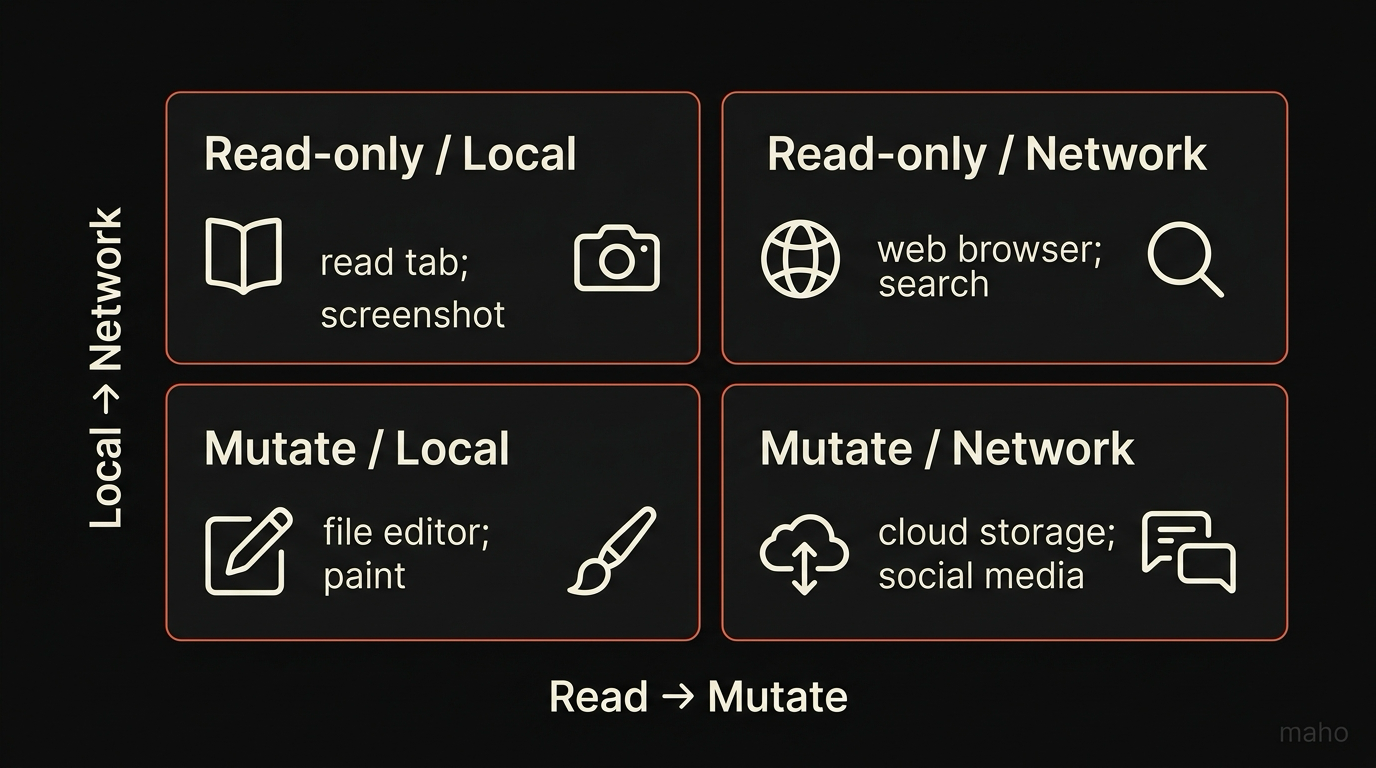
The four quadrants need different defaults. Local read can run silently. Local mutate needs an in-the-moment prompt. Network read needs an origin grant. Network mutate needs an origin grant plus a per-call confirmation for anything destructive. Conflating any two of these is the most common way browsers get the security model wrong.
The permission gate
Section titled “The permission gate”Running untrusted servers requires OS-level sandboxing. Read Chromium Sandbox Architecture for sandboxing guidelines.
A permission system is what turns a list of tools into something a user can trust. Maho’s gate has three axes that compose.
Per tool. Each MCP tool can be allowed or denied on its own. You can say yes to open_tab and no to close_tab. The tool is the unit, not the server. A server that ships fifteen tools has fifteen separate switches.
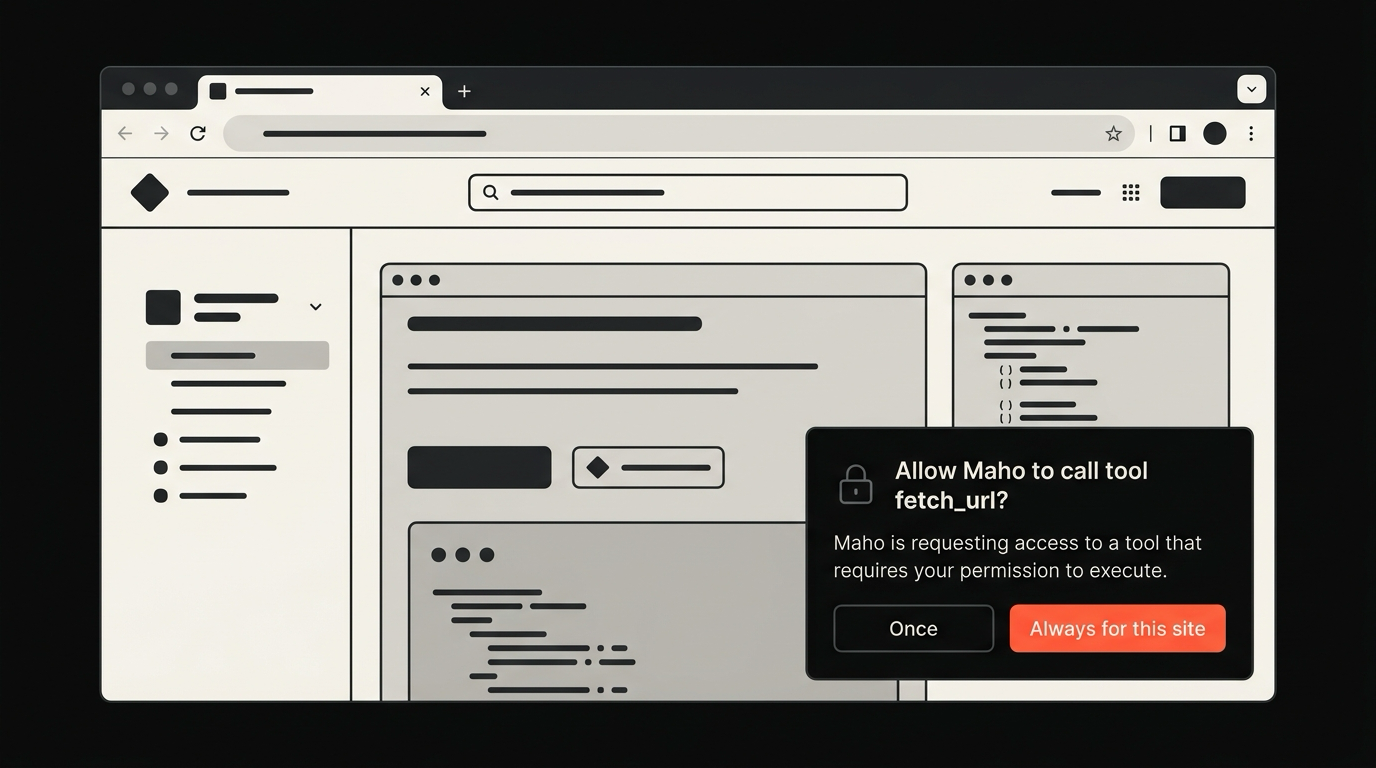
Per origin. When a tool acts on a network destination, the grant is scoped to the origin. Approving fetch_url for linear.app does not approve it for evil-redirect.example. The user sees the origin in the prompt, not just the tool name.
Per session. Grants come with a duration. Allow once. Allow for this conversation. Allow for this session. Allow forever. The default for mutating tools is one session, never forever. You can override it, but you have to mean it.
The three axes compose. A tool can be allowed for a specific origin, for a specific session. That is one of eight combinations the system supports. The interesting failure mode is not that a user denies too aggressively. It is that the host pre-allows too much because prompt fatigue scares product managers. We resist that.
What we ship as built-ins, and why
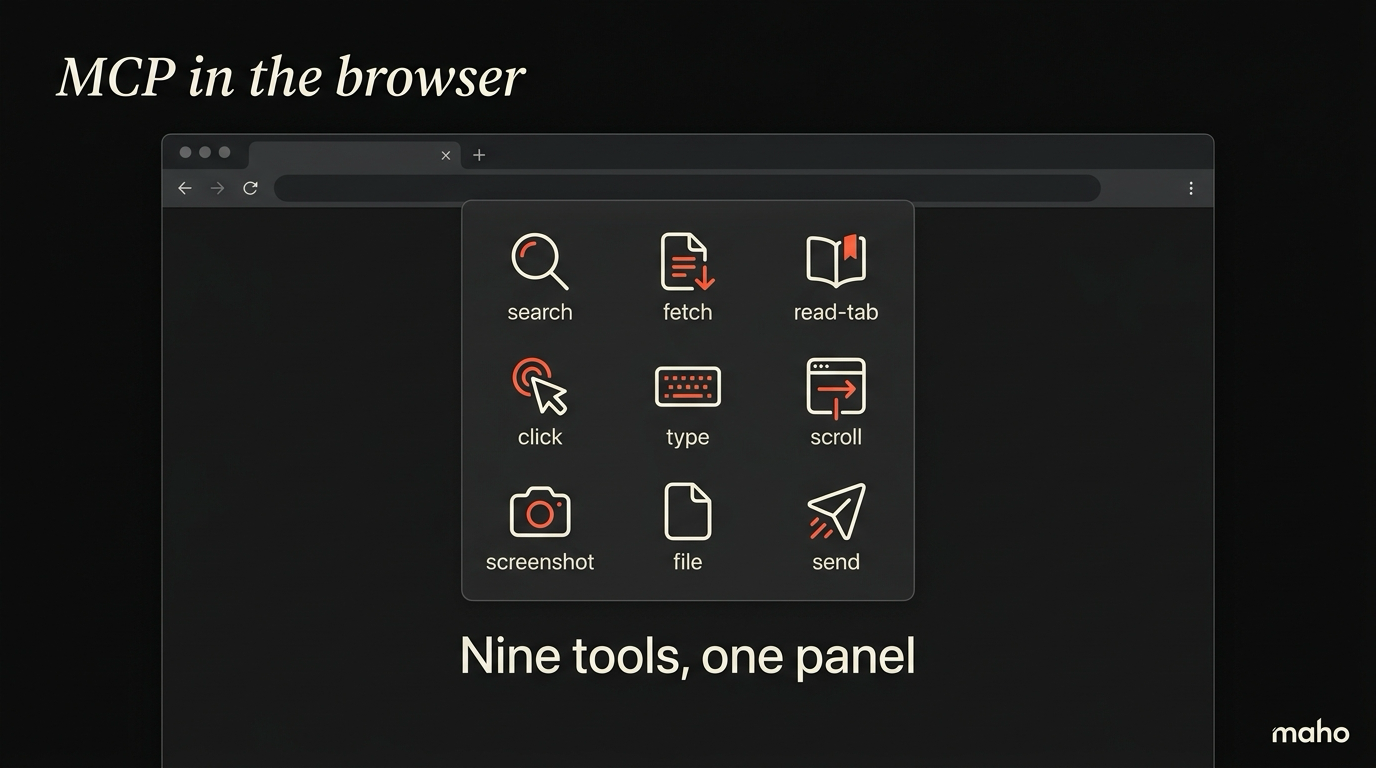
Section titled “What we ship as built-ins, and why”Maho ships nine built-in MCP tools. They cover the browser surface and stop.
list_tabs read, localget_active_tab read, localget_page_content read, localget_bookmarks read, localget_downloads read, localsearch_history read, localopen_tab mutate, localclose_tab mutate, localnavigate_to mutate, localSix are read-only and run without a prompt. Three are mutating and ask the first time. None of them touch a third-party network. None of them know your Linear token, your GitHub credentials, or your Slack workspace. By design.
The shortlist exists for two reasons.
First, every shipped tool is also an attack surface. A built-in tool that the user cannot uninstall has to be defensible on its own merits. Nine tools is the minimum that lets a model do useful browser work without giving up an inch of surface that does not need to be there.
Second, the model is better when the tool list is small. Long lists confuse the planner. Each unused tool is noise in the prompt. Trimming the built-ins to the browser-state surface keeps the model’s planning sharp.
For everything else, the answer is not “add a built-in”. It is “register an MCP server”.
The escape valve: bring your own MCP server
Section titled “The escape valve: bring your own MCP server”The browser has a small set of tools. Your work has more. The bridge is BYO MCP.
You can register any MCP server with Maho’s side panel. Local processes, remote servers over HTTP, third-party tools you found on a registry. The host lists the tools each server offers and treats them the same way it treats built-ins. Permission gate, audit log, scope rules. The protocol does not change. Only the source does.
This matters for two reasons.
It keeps the built-in surface honest. We do not have to ship a Linear tool to make Linear work. The Linear MCP server already exists. Registering it is the user’s choice, not the browser’s default. The set of tools your model can call is the set you decided to install, not the set we decided to bundle.
It keeps the audit story clean. A tool you registered is a tool you can revoke. A tool we bundled is one you live with until we ship a setting. The escape valve flips the polarity. The browser is small, the user is large, and the tool surface scales with what the user actually wants.
The shape of a real day with BYO MCP is unglamorous and useful. A user registers a Linear MCP server for ticket work, a filesystem MCP server scoped to one project directory, and a custom server that wraps an internal API the user wrote at work. Three servers, ten or twelve tools between them, all routed through the same permission gate. The model has access to exactly the surface the user picked, and nothing else. That is the version of agentic browsing that holds up after a month of use.
Where this still goes wrong
Section titled “Where this still goes wrong”MCP in the browser is not finished. Three failure modes are visible from here.
Prompt injection across tool calls. A page can contain text that, if read by get_page_content, tries to convince the model to call a different tool. The model is not always wise enough to ignore it. The mitigation is conservative defaults on mutating tools and a strong audit log, not a clever filter.
Server proliferation. A user who registers fifteen MCP servers loses track of what is allowed. The host has to make the active surface visible at a glance. A long settings list does not count. We are still iterating on the shape of that surface.
Loop runaways. A model that keeps calling tools without a stop condition burns money and does damage. The host needs a clear stop button and visible step counts. We ship both, and we still see edge cases.
For the deeper version of those problems, see the failure modes post when it lands. The high-level definition lives in What is MCP? Model Context Protocol explained for browsers, and the day-to-day usage lives in the browser AI docs.
A last note on what we deliberately did not build. We do not run a managed MCP cloud. We do not host servers on your behalf. We do not log which tools you call back to a server we control. The relationship between you, your servers, and the model is local by default, and we have no business inserting ourselves into it. The browser is the host, and the host is on your machine.
Download Maho
Section titled “Download Maho”Maho is available for macOS, Windows, and Linux. It ships nine built-in MCP tools, treats every server you register the same way, and asks before doing anything mutating. Download Maho.