
Page context vs conversation context: two scopes, one panel
Maho’s AI panel has two modes, and the distinction is older than the panel. It is the difference between asking a question about the document in front of you and asking a question across an ongoing conversation. We call these page context and conversation context. They are not flavors. They are different scopes, with different inputs, different costs, and different failure modes.
This post is the working version of how the two modes behave inside Maho, why mixing them is expensive, how the panel switches between them without losing your place, and the patterns that matter most once you know the line.
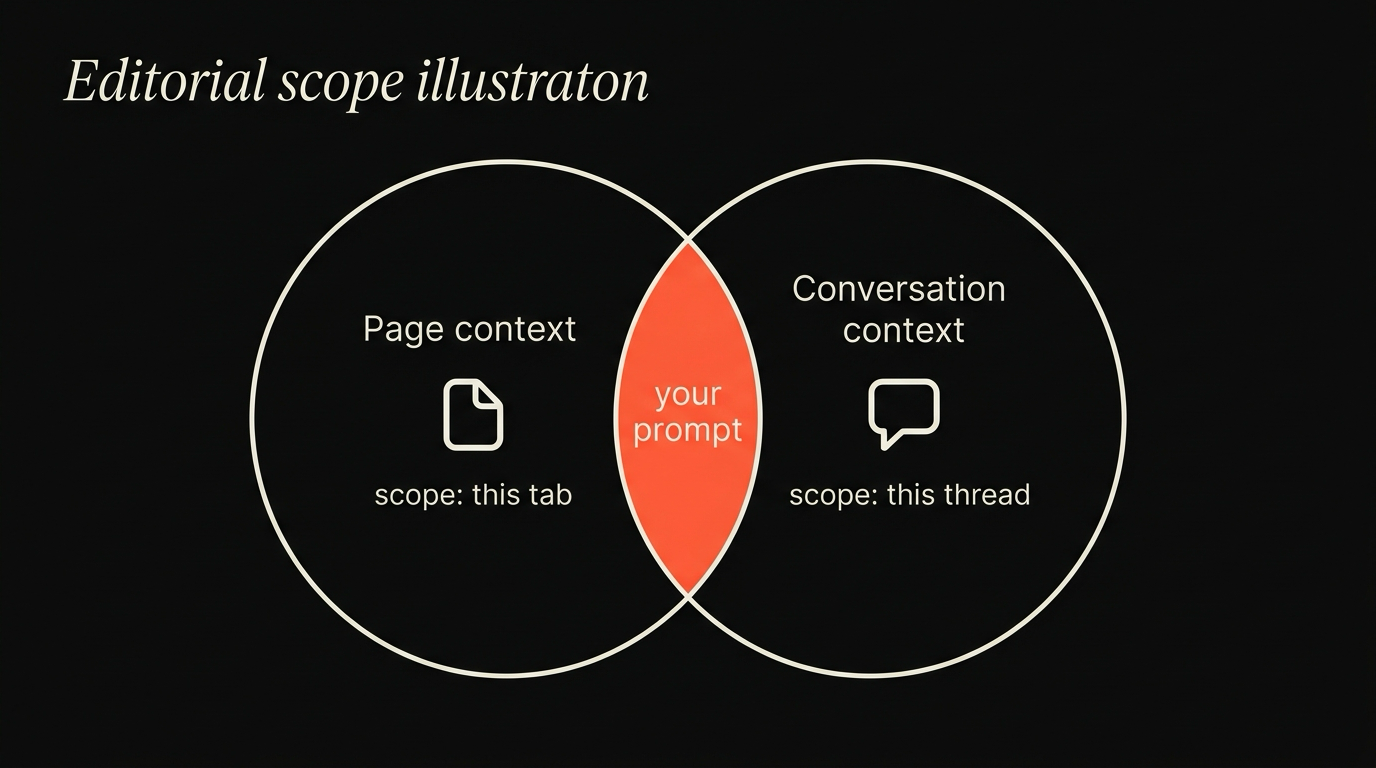
The two scopes, defined
Section titled “The two scopes, defined”Document-level scope
Section titled “Document-level scope”Document scope covers metadata and structure of the single active tab.
Thread-level history
Section titled “Thread-level history”Thread scope stores user chat records and cumulative context.
Page context is the set of inputs the panel takes from the document in front of you. The visible text, the title, the URL, the structure of the headings, and a small structural envelope (the language, the canonical link, occasionally the publication date when the page exposes it). Page context updates when you navigate. The model sees the page you are on, not the page you were on a minute ago.
Conversation context is the running record of what you and the model have said so far in this panel session. It is a transcript, plus any previous tool results, plus a system prompt that frames the assistant. Conversation context grows as you talk. The model sees what you have built up; it does not see what you stopped seeing.
Both modes use the same model and the same provider. The only difference is what the panel attaches to the prompt. Page context attaches the page. Conversation context attaches the transcript. The mode flag tells the panel which to attach.
A short, concrete contrast. You open the React documentation and ask, “What does useEffect do?” That is page context: the answer comes from the page in front of you, the answer should cite that page, and the answer should not invent things the page does not say. You then open a different page about state management and ask, “How does the previous answer compare?” That is conversation context: the previous answer is in the transcript, the new page is not the subject, and the model should reason across messages.
Why the distinction matters
Section titled “Why the distinction matters”Preventing prompt contamination
Section titled “Preventing prompt contamination”Keeping page content isolated prevents passive prompt injection vectors from reading thread history.
Minimizing token cost
Section titled “Minimizing token cost”Separating the scopes avoids resending full document bodies with every chat turn.
The two scopes serve different work, and they fail in different ways.
Page context is good for: extracting facts from the visible page, summarizing an article, asking what a chunk of code does, checking a citation, translating a paragraph, finding the section of a long document that answers a question. The model is grounded by the page; the page is the truth of record. Hallucinations are easier to spot because they will say something the page does not.
Conversation context is good for: comparing two things you already discussed, building on a previous summary, asking the model to remember a constraint and apply it later, refining a piece of writing across iterations, asking a follow-up that depends on what came before. The model is grounded by the transcript; the transcript is the truth of record. Hallucinations show up when the model invents history that did not happen.
When you mix them, neither anchor holds. The model is shown a page and a transcript and a question, and the question does not commit to either. The model has to guess which one is the source. Sometimes it picks correctly. Sometimes it pulls a fact from the page and attributes it to the transcript, or vice versa. The answer reads plausibly and is wrong on a check.
The cost of mixing them
Section titled “The cost of mixing them”Three concrete failures show up when the scopes get mixed.
Wrong attribution. You have been chatting with the model about a topic, then you open a page that mentions the topic, then you ask a follow-up. The model answers from the page and presents the answer as if it were a continuation of the conversation. The answer is right about the page and wrong about the transcript. You catch it the next time the topic comes up, when the model contradicts itself.
Context overflow. The transcript is long, the page is long, and the prompt is now larger than the model’s context window. The browser truncates one of them, often the older transcript or the deeper section of the page. The answer is built from the surviving fragment, which is not the fragment that contained the answer. The model is not lying; it is being asked a question it cannot see.
Stale grounding. You navigate to a new page mid-conversation. Some panels keep the previous page in the prompt because they conflate “page context on” with “the page from when this chat started”. The new page is not in the prompt, the old page is, and the answer is about the old page. The model is correctly grounded; the grounding is just out of date.
The pattern across all three is the same. Scope confusion is a silent failure. The answer arrives without an error message. You only catch it when the answer disagrees with the screen, or with itself.
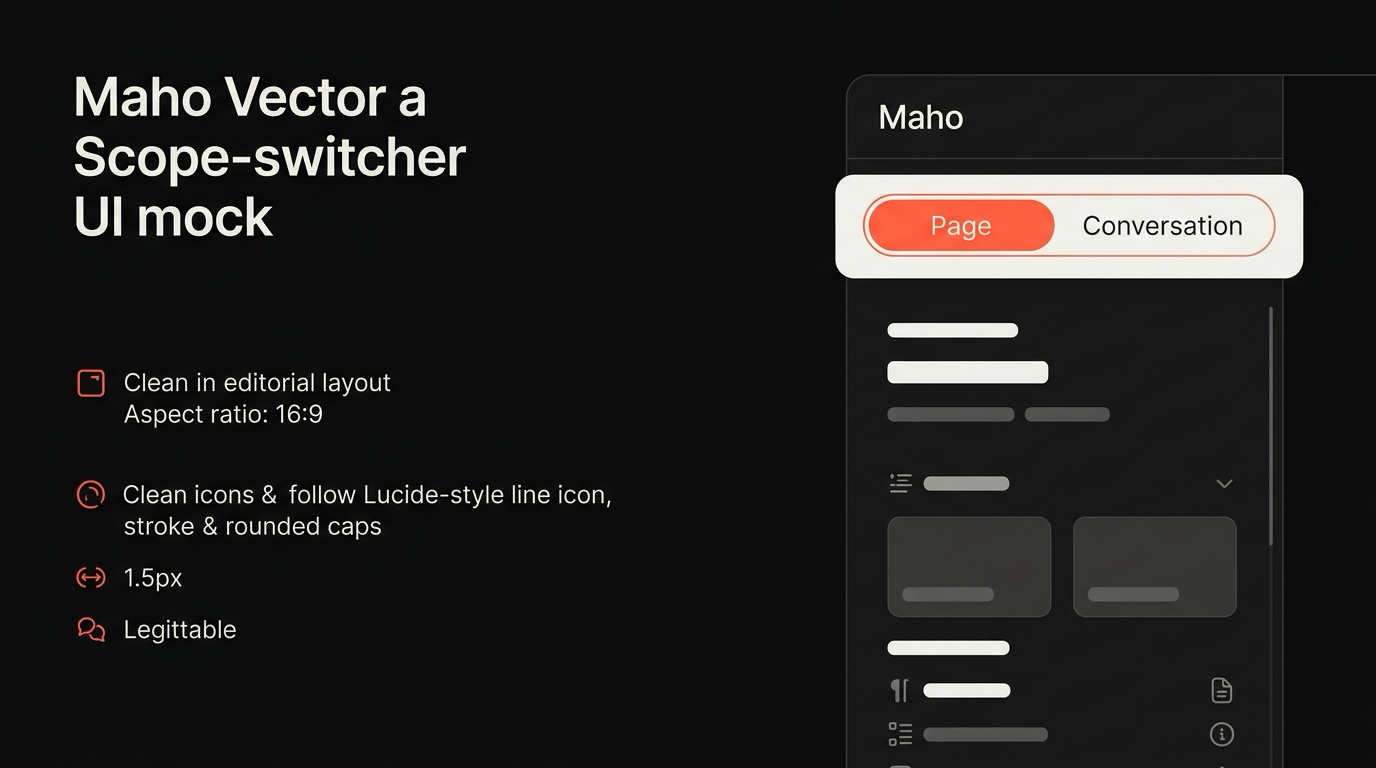
Maho’s switching model
Section titled “Maho’s switching model”The panel exposes the scope as a single toggle. The toggle has three positions:
- Page. Attach only the visible page (and the small structural envelope). Do not attach the transcript. The model sees this turn and the page.
- Conversation. Attach only the transcript. Do not attach the page. The model sees the running thread, not what is on screen.
- Both. Attach both, with an explicit boundary. The page is labeled as a separate document; the transcript is labeled as the conversation. The model is told which is which.
The default is Page when you open the panel on a new tab and Conversation when you open it on a tab where the panel was already in use. Switching is a click and a keystroke (Cmd+Shift+M cycles the modes). The transcript persists when you flip to Page; you do not lose your place. The page tags persist when you flip to Conversation; switching back to Page picks up the page you are on now, not the page you were on then.
A small but useful detail. The boundary between page and conversation is shown in the panel as a thin line. Above the line: what came before. Below the line: what is in scope for the next turn. When you switch modes, the line moves visibly. The user sees the change, not just the dropdown.
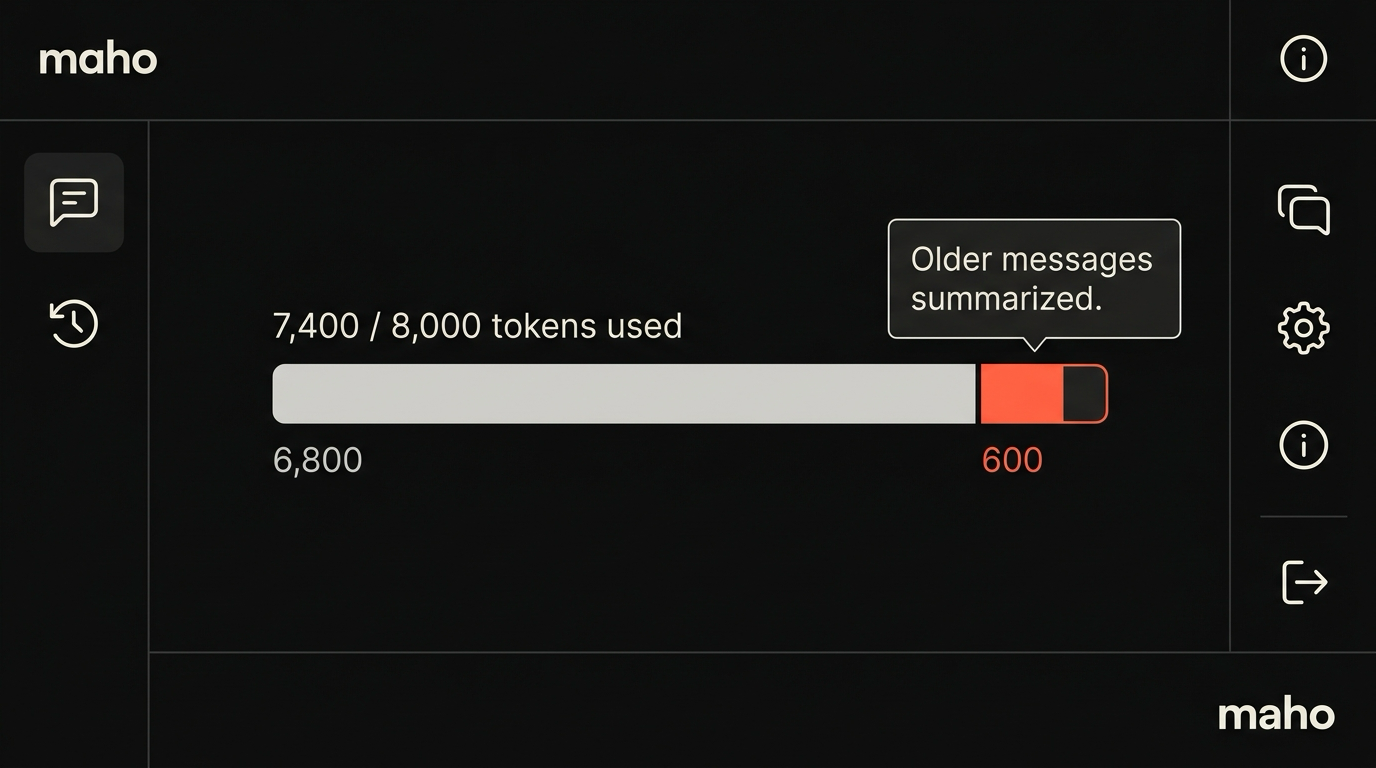
When the prompt approaches the model’s context window, the panel surfaces an overflow indicator. Two yellow ticks for “you have headroom for one more page”, a red bar for “the next page would not fit”. You know before the model truncates. Local providers, with smaller windows, hit this often; cloud providers with 128k or 200k windows almost never do.
Power-user patterns
Section titled “Power-user patterns”Three patterns are worth borrowing.
Page-only for extraction. When you are mining a document for facts, run with Page on and Conversation off. The transcript is irrelevant; the document is the source. Citations are easier to verify, hallucinations are easier to catch, and the prompt stays small enough for fast turns. This is the right mode for reviewing a contract, summarizing a paper, or pulling structured data from an HTML table. A useful habit: ask one question per Page session, then clear and move on. The transcript adds nothing here.
Conversation-only for synthesis. When you have already gathered the inputs and want the model to reason across them, switch to Conversation and stop attaching pages. The transcript is the corpus. New pages would dilute it. This is the right mode for “given everything we have looked at, what is the right pick”, which is a question the page in front of you cannot answer. A common mistake: leaving Page on while you ask a synthesis question, then watching the model anchor to whatever happens to be on screen instead of the transcript you built.
Both, sparingly, with the boundary in mind. When you genuinely need both (you are reading a new document and want the model to compare it to what came earlier) flip to Both, ask the question with the comparison made explicit, and flip back. Spending a whole session in Both burns context and invites attribution mistakes. Treat Both as a tool you reach for, not a default. A phrasing that helps the model use the boundary correctly: “Given the conversation above and the page below, compare X and Y. Cite which source each claim comes from.”
A fourth pattern worth naming, even though it is not a mode. Clear the conversation more often than feels natural. A long transcript is not a feature; it is a tax on every subsequent turn. The panel keeps a per-conversation history, encrypted locally, that you can search later. You do not lose anything by ending a conversation and starting a new one; you gain a smaller, cleaner prompt and a model that is not weighed down by context it does not need.
One more, for the local-model crowd. If you are running BYOK against an 8B model, stay in Page mode by default and treat Conversation as expensive. Local models with 4k or 8k effective windows fall over on long transcripts. The mode switch is cheap; the overflow recovery is not. For deeper coverage of why this happens and how the panel handles it, see agentic browser failure modes. For the panel as a whole, the browser AI doc is the canonical reference.
Download Maho
Section titled “Download Maho”Maho is available for macOS, Windows, and Linux. The two-scope panel includes the toggle and the overflow indicator described above, plus the keyboard cycle for switching between them. Download Maho.