
Zero telemetry by default: what that actually means in code
Most browsers ship “telemetry off” as a setting buried three menus deep. We took the opposite approach. Telemetry is off because the code path that would send it is not in the binary.
This post is an inventory. Every place a Chromium-based browser would normally phone home, what we did with it, and how you can verify the result yourself with tools you already have on your Mac.
The phrase has been overused; here is what we mean
Section titled “The phrase has been overused; here is what we mean”“Zero telemetry” gets attached to browsers in marketing copy and is not always backed by code. We use the phrase narrowly. It means the browser does not, by default, send any analytics event, usage report, error report, field-trial ping, or background heartbeat to a Maho server. It also does not send any of the same to a third party we have integrated.
There is one outbound call we do make: an update check. We document it in its own section below. Every other endpoint is silent.
This is a posture, not a feature. It is enforced by removing code, not by toggling a setting. A user cannot accidentally turn on something that does not exist in the build.
We picked this shape because the alternative is unverifiable trust. A telemetry switch you do not control is worth less than a binary that does not contain the call. The build is the contract. Every other promise is downstream of that.
The endpoint table
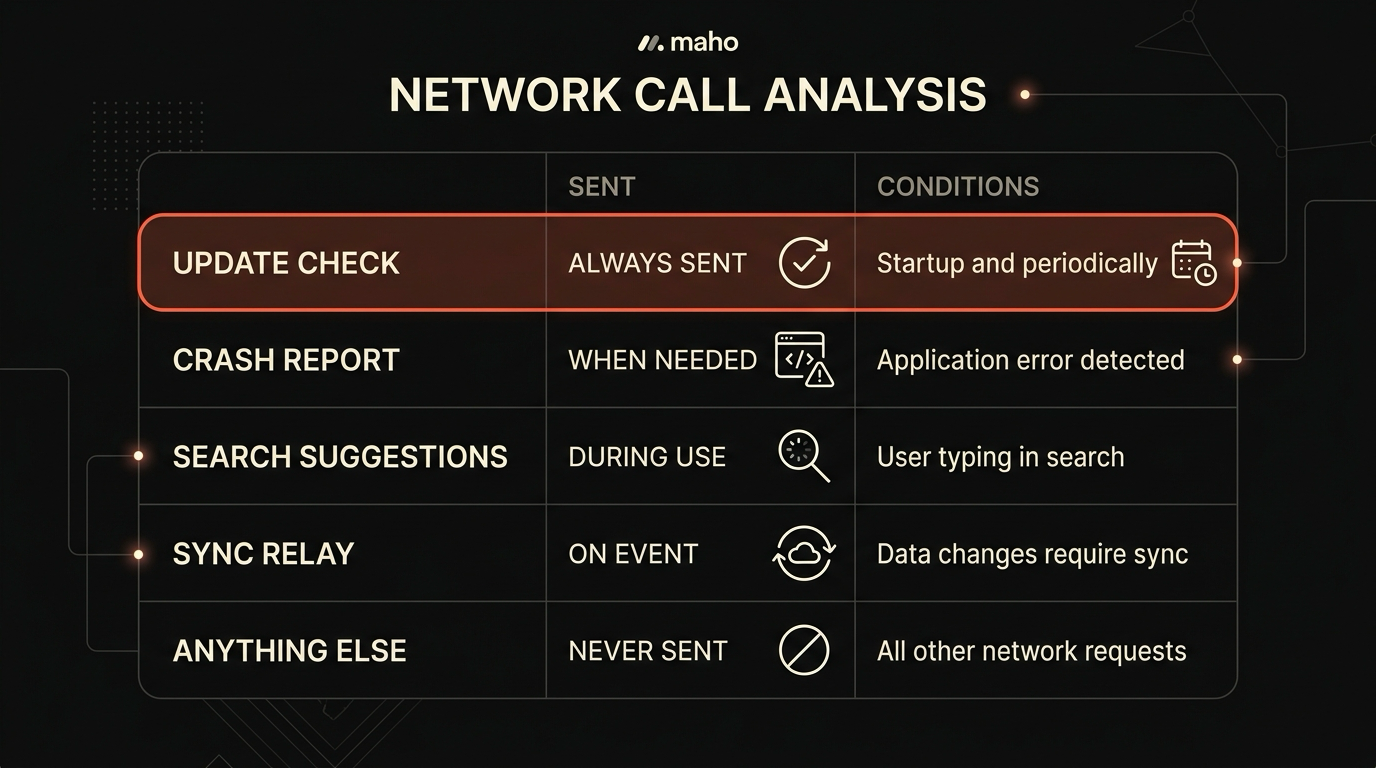
Section titled “The endpoint table”Chromium has a long list of services it can talk to. The list grew over fifteen years and now includes services for analytics, crash reports, field trials, safe-browsing, component updates, autofill assists, and a handful of other quietly added pipelines. Below is every outbound destination a stock Chromium browser uses, and the state of each in Maho’s default build.
| Endpoint | Default state in Maho |
|---|---|
| Usage analytics (UMA) | Never sent. The UMA service is compiled out. |
| Crash reports (Crashpad upload) | Never sent. Minidumps are written to local disk only. |
| Field Trials / Variations | Never sent. Variations seed fetch is disabled at build time. |
| Safe Browsing lookups | Never sent by default. Opt-in toggle in Privacy settings. |
| Search and omnibox suggestions | Never sent to Maho. Routed only to your configured search engine. |
| Component updates (Widevine, translation models, etc.) | Never sent. Components are bundled at build time. |
| Sync relay traffic | Never sent unless Sync is turned on. The relay is end-to-end encrypted. |
| Update check | Sent to relay.mahobrowser.com on launch and once every 24 hours. |
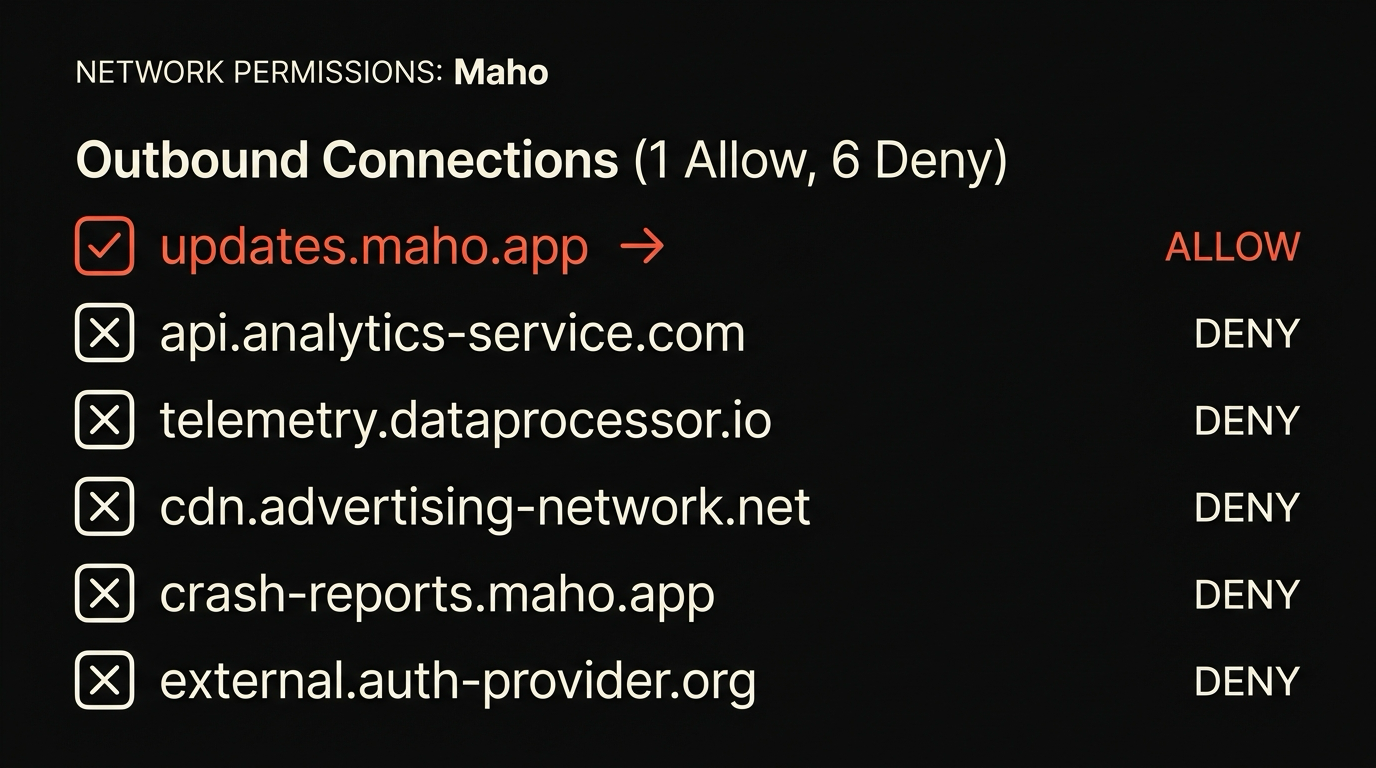
Seven of the eight are zero by default. The eighth is the update check, which is the only call the browser makes to a host we control. That call has its own section.
The table is not aspirational. Each row maps to a specific code change in our overlay on Chromium, and each one is covered by a regression test that fails the build if a new release reintroduces the corresponding service.
Crash reports and how to opt in
Section titled “Crash reports and how to opt in”Crash reports are the one place where “always off” hurts the product. Bugs we cannot see are bugs we cannot fix. The compromise is opt-in, and the opt-in is honest about what it sends.
In Maho, the crash handler still runs. Crashpad collects a minidump exactly the way upstream Chromium does. The difference is the upload step. By default, the minidump lives in ~/Library/Application Support/Maho/Crashpad/pending and stays there. No outbound request is made when a crash happens.
If you turn the toggle on, in Settings, Privacy, Crash reports, the browser starts uploading pending minidumps to a Maho-operated endpoint over TLS. The toggle states the destination, the typical size of a report (under 1 MB), and the retention window (90 days, then purged). It does not enable any other reporting in passing. Analytics stays at zero.
You can also send a single report manually without flipping the toggle. If you hit a crash and want us to look at it, chrome://crashes lists every minidump on disk and lets you upload one with a button click. That is a one-shot send. The setting stays unchanged after.
The minidump itself contains stack traces, register state, and loaded modules. It does not contain the contents of the page you were on, your prompt history, or any of the in-memory state that would identify what you were doing. We document the exact field set in the security page so you can decide before you opt in.
Update checks: the one network call we keep
Section titled “Update checks: the one network call we keep”A browser that does not check for updates ships unpatched in three months. We keep the path, and we keep it as small as possible.
The update check is a single HTTPS request to relay.mahobrowser.com/v1/check. The request body has three fields: the current build channel (“stable” or “beta”), the current version string, and the platform (“macos-arm64” or “macos-x86_64”). Nothing else. No machine identifier, no install token, no cookie, no UA fingerprint beyond the platform tuple. The response is a small JSON document that says either “you are current” or points at a signed update payload.
The check fires on launch and once every 24 hours after that. You can disable it in Settings, Updates. If you do, the browser stops asking entirely, which means it will also stop getting security fixes. We do not recommend turning it off, but the toggle is honest.
The endpoint is logged on our side. We keep request logs for 30 days for capacity planning and publish the retention window on the security page. We do not correlate update checks with anything else, because there is nothing else to correlate them with.
If you want to verify the request shape, you can. Run the browser behind mitmproxy with a self-signed root in the System keychain, trigger an update check, decode the body. The JSON has three fields. There are no surprises in the headers.
How to verify with Little Snitch or pf rules
Section titled “How to verify with Little Snitch or pf rules”The whole point of this posture is that the claim is testable. Three useful ways.
Little Snitch. Install Little Snitch, switch the filter to alert mode, and launch Maho with no extensions installed and Sync turned off. Browse for ten minutes. The only outbound destination triggered by the browser process itself is relay.mahobrowser.com, and only at launch. Pages you visit will trigger their own connections, naturally. The browser process stays silent otherwise.
pf rules. If you prefer the built-in firewall, write a pf rule that blocks all outbound traffic from the Maho process except relay.mahobrowser.com. The browser keeps working. Pages load. The AI panel talks to your configured provider directly. Search engines return results. Nothing else breaks. That is the test.
lsof. A quicker spot check is lsof -i -P -p $(pgrep -x Maho). Run it during a session. The connections you see are to the sites you are visiting, your AI provider, and the update endpoint. Nothing else lives there.
If any of these checks reveals a destination we did not list above, that is a bug, and we want to hear about it. The security page lists the contact path.
Why this is harder than it sounds
Section titled “Why this is harder than it sounds”Removing telemetry from a Chromium fork is not a single switch. The codebase has dozens of independent reporting paths added over fifteen years by teams with different goals. Some are tied to features users want, like Safe Browsing. Some are tied to internal ergonomics, like Variations, that have no user-visible value. All of them have to be found and disabled or removed.
What we did:
- Disabled the UMA service at build time with a GN flag, and verified with a debug build that no UMA service is constructed at startup.
- Cleared Crashpad’s default upload URL in the production build, and gated upload behind an explicit user action.
- Disabled the Variations seed fetch entirely. The browser ships with no field trials, ever.
- Stripped Google’s autocomplete and search-prefetch pipelines from the omnibox. Your configured search engine handles its own suggestions over its own connection.
- Disabled component update fetching. Translation models, Widevine, and a handful of other components are bundled at build time and refreshed only when the browser itself updates.
- Removed the “improve search by sending URLs” path entirely.
Each item is a code change, a regression test, and a follow-up audit when Chromium upstream adds a new pipeline in a major version. We track upstream changes in a quarterly review. When a new reporting service lands in Chromium, we opt out of it before merging.
This is not glamorous work. It is also why “zero telemetry” only means something when the build is auditable. A setting in another browser’s preferences is a request. The absence of code in our build is a guarantee. For the architecture that supports the same posture on the AI side, see BYOK in the browser. For the broader audit story and contact path, the security page is the canonical reference.
Download Maho
Section titled “Download Maho”Maho is available now. The build with the posture described above is available to download. Download Maho.