
Maho vs Opera with Aria: AI sidebar, two designs
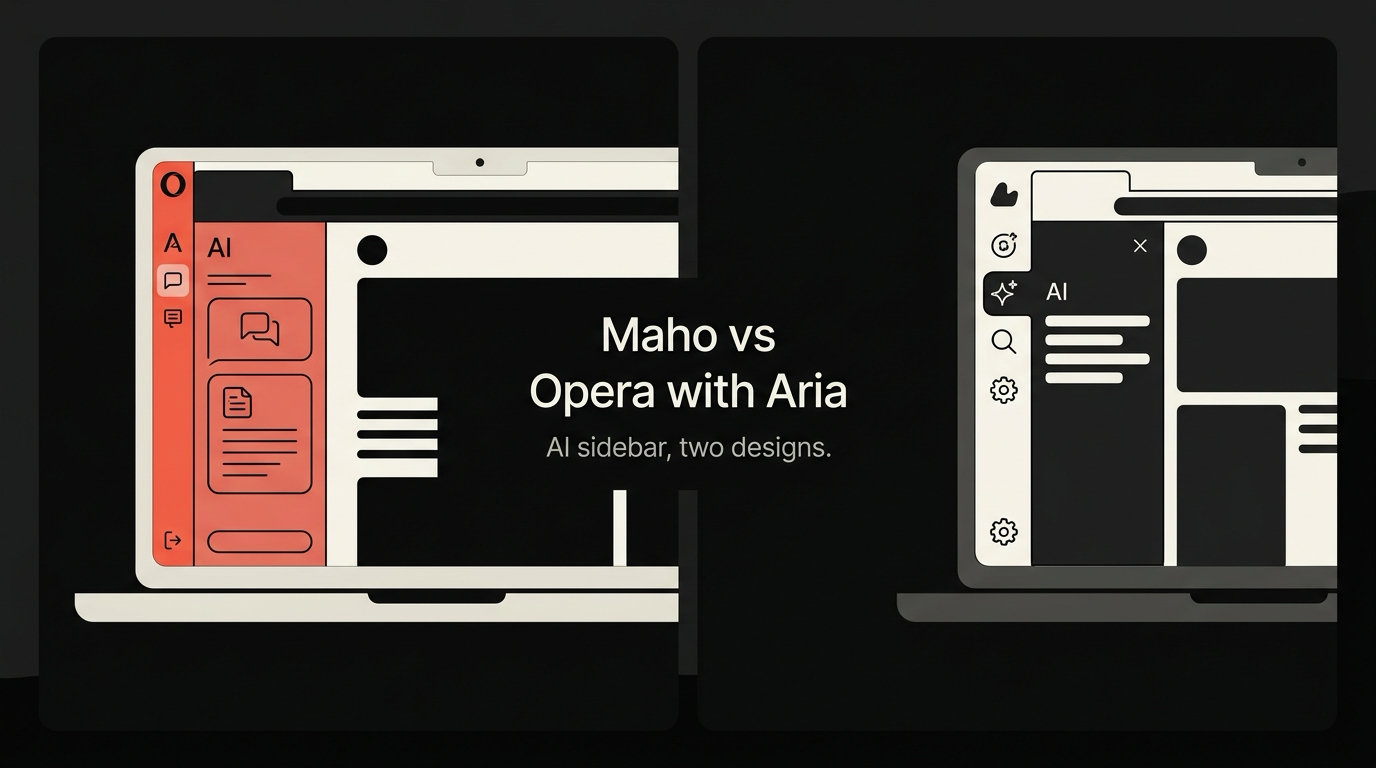
Both Opera and Maho ship an AI sidebar. The two sidebars look similar at a glance. They both float on the right edge, they both stream tokens, they both summarize the current page. The architecture underneath is different enough that the sidebars are answering two different questions.
This post is the comparison, written by the team that built one of them. We try to be fair about Aria. We are not neutral about Maho.
Opera’s Aria: the pitch
Section titled “Opera’s Aria: the pitch”Aria is Opera’s hosted AI assistant, available in Opera and Opera GX. It is a free product. The model behind it is a mix of OpenAI’s GPT family and Opera’s own routing layer, served from Opera’s infrastructure. You sign in to an Opera account, you click the Aria icon, you start typing.
The product fit is clear. A user who wants AI in the browser without paying anything per month gets it. The cost of inference is absorbed by Opera and presumably offset by ads, paid placements in the browser, and other monetization paths Opera already runs. From a “press a button and it works” perspective, Aria is well executed.
Aria can summarize the current page, generate text, answer general questions, and surface follow-up suggestions. It supports images in some queries. It is integrated with the address bar through a command palette. It is not, in the current version, an agentic assistant in the four-signal sense we defined elsewhere. It is a high-quality chat panel with page context.
That description is a fair starting point. The next question is what gets sent where, and at whose cost.
Maho’s panel: the pitch
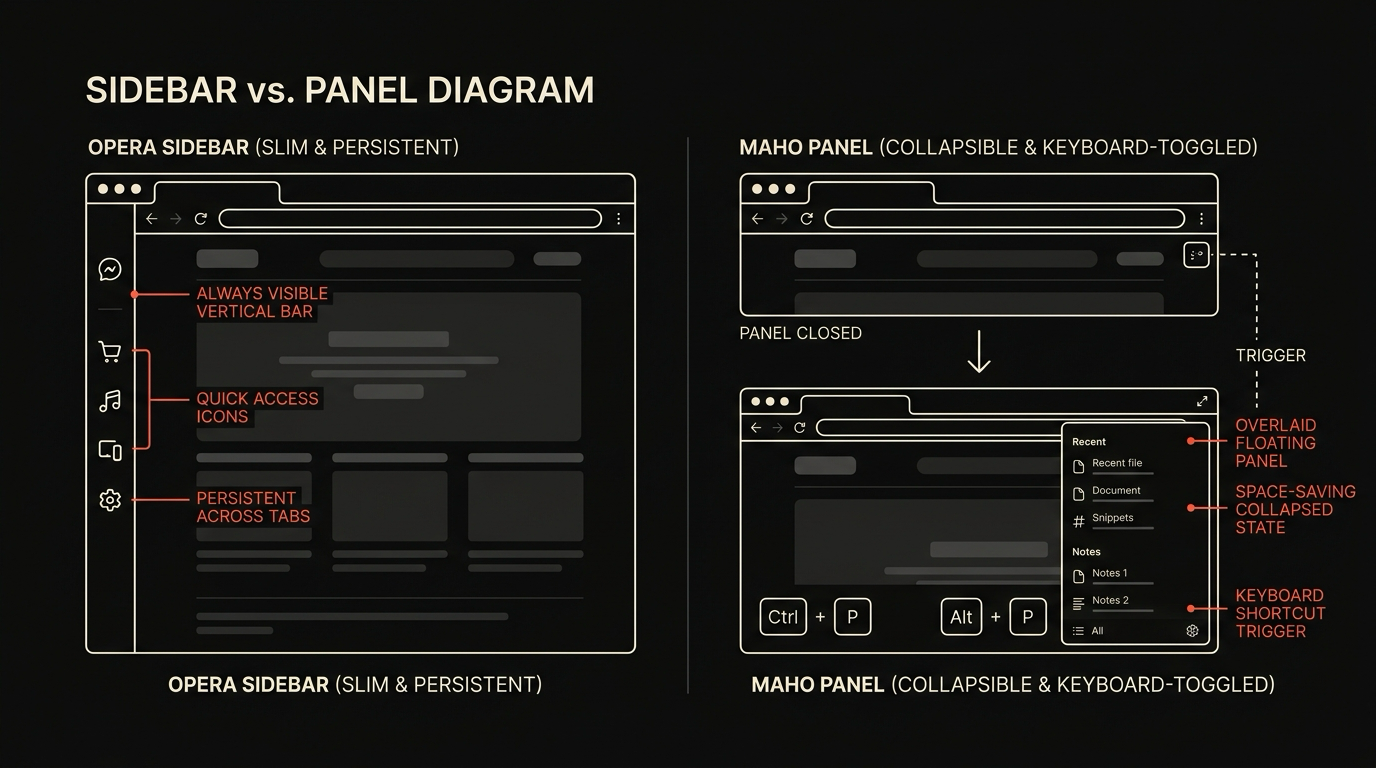
Section titled “Maho’s panel: the pitch”The Maho AI panel is the same shape on the screen and a different shape underneath. It is an agentic panel. The model can call tools, see the current page, see other tabs with permission, and run a short loop with explicit confirmations.
The model behind the panel is whatever you point it at. We do not host one. The provider list includes OpenAI-compatible endpoints, Anthropic, Ollama, LM Studio, and a custom slot for anything else that speaks the protocol. You bring the key. You pick the model. You pay the provider directly. We have written that architecture out in detail in the BYOK architecture post and the browser AI docs.
The product fit is different. A user who wants the cheapest AI in a browser without thinking about it should use something else. A user who wants the prompts to leave their machine on a path they chose, and to run a small local model when the network is off, should use Maho. We are honest about who that is.
Capability gap
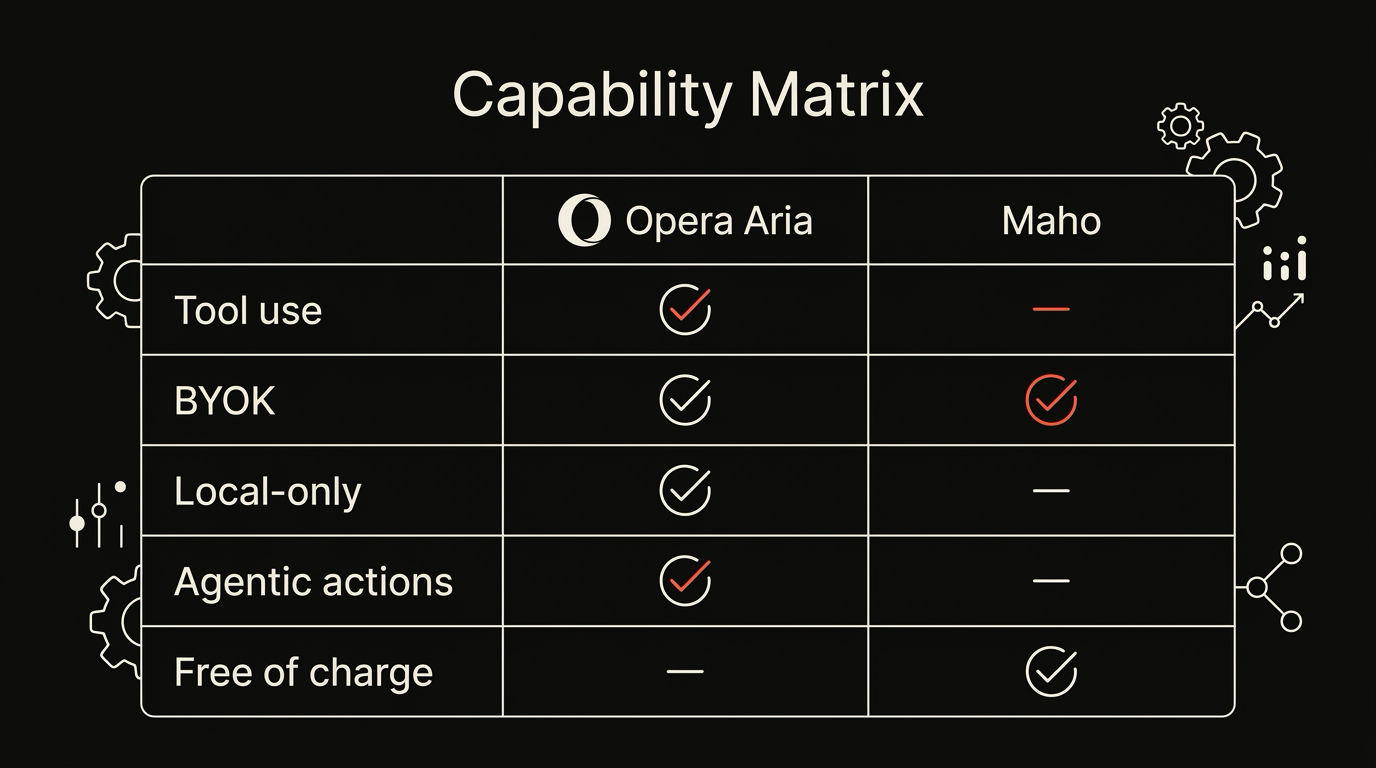
Section titled “Capability gap”The high-level comparison fits in a table. The asterisks are in the next sections.
| Opera + Aria | Maho | |
|---|---|---|
| Tool use (model can call tools) | No | Yes (nine built-in tools at launch) |
| BYOK (your key, your provider) | No | Yes, by default |
| Local-only mode (no network calls) | No | Yes, with Ollama or LM Studio |
| Agentic actions (model can change pages or tabs) | No | Yes, with per-tool permission grants |
| Free to use | Yes | Yes (you pay the provider, not Maho) |
| Telemetry on by default | Yes | No |
The bottom row is the one that surprises people. Opera turns on a fairly standard analytics pipeline by default, with opt-out toggles. Maho’s default build does not contain the code paths to turn on. We covered the inventory of those paths in zero telemetry by default.
The middle four rows are the capability gap. Aria today is a chat sidebar with strong page context. The Maho panel is an agentic sidebar that the user wires up to a model of their choice. Both are valid product shapes. They serve different users.
Privacy posture
Section titled “Privacy posture”The way prompts move through the system is the most important difference, and the one most easily lost in a feature checklist.
When you ask Aria a question, the request goes from your browser to Opera’s servers, and from there to whichever upstream model Opera routes you to (OpenAI, in most cases). Opera sees the prompt by definition: it is a hosted service. Opera’s privacy policy describes how the prompt is logged, retained, and used to improve the service. That logging is normal for a hosted assistant. It is also a privacy surface that does not exist in a BYOK design.
When you ask the Maho panel a question, the request leaves your machine on a TLS connection that the panel opens directly to the provider you configured. There is no Maho server in between. We do not see the prompt. The provider sees it, with whatever logging policy that provider has, which is now the only privacy contract you need to read. If you point the panel at a local Ollama, the prompt does not leave the machine at all.
This is not a claim that one design is universally better. A hosted assistant is simpler and free at the inference layer. A BYOK assistant gives you a smaller and more legible privacy surface. Both are real engineering choices. We picked the second one because the prompts a browser sees are the most sensitive prompts a user types.
Tabs, page contents, sometimes form fields. We did not want any of that flowing through a Maho-controlled hop, even one we run carefully.
Performance impact
Section titled “Performance impact”Performance is the place the comparison gets less interesting and more concrete.
Aria’s inference happens on Opera’s servers. Latency is whatever the network round-trip plus the upstream model gives you. Cold starts are imperceptible because the request is light. The cost on your machine is essentially zero. Battery and CPU stay where they were.
The Maho panel’s performance depends on which provider you pointed it at. A cloud provider behaves like Aria from the latency perspective: a network hop and a model. A local provider behaves like a heavy compiler. Cold starts on a 7B-class model on an M3 take three to five seconds; tokens stream at twenty to forty per second after that. The CPU and ANE are doing the work. Battery drains faster on local-only inference, by an amount that varies with the model size.
There is no free lunch in either direction. The hosted model is fast and cheap and exposes your prompt to a third party. The local model is private and exposes your battery to the work. Picking the right one for the right task is the trade you control with BYOK and do not control with Aria.
Pick guide
Section titled “Pick guide”The honest framing is not “which is better” but “which fits your use”.
Pick Opera with Aria if:
- You want AI in the browser with zero setup and zero cost per query.
- You are fine with Opera’s privacy posture for your prompts and page contexts.
- You do not need the assistant to take actions in the browser beyond writing into a chat box.
- You are not running a local model and have no plans to.
Pick Maho if:
- You already have an OpenAI, Anthropic, or other API key, or you want to run a model locally.
- You care that prompts go to providers you chose, not through a vendor middle hop.
- You want the panel to call tools, change tabs, fill fields, and summarize across tabs.
- You want telemetry off because the code is not in the build, not because you flipped a switch.
The two products will keep diverging. Aria is going to add features and stay hosted. Maho is going to add tools and stay BYOK. The choice will get easier, not harder, as both projects mature.
Download Maho
Section titled “Download Maho”If the comparison above lands the right side for you, the compare page covers other browsers in the same shape, and download Maho to get the build.
For a broader overview of how Maho stacks up against other AI-forward browsers, see our 2026 agentic browser comparison.